
Community channel
Your building’s own TV channel
Announcements, rules, events and local ads on every resident TV and lobby screen. Post from a browser and it is on air in under a minute. Included with your Elink service.
- No new wiring in resident units
- Emergency takeover on every screen
- Sell sponsor slots to local businesses
Real screens
See the dashboard
The real Community Channel dashboard your team uses, shown with a sample building. Pick a tab.
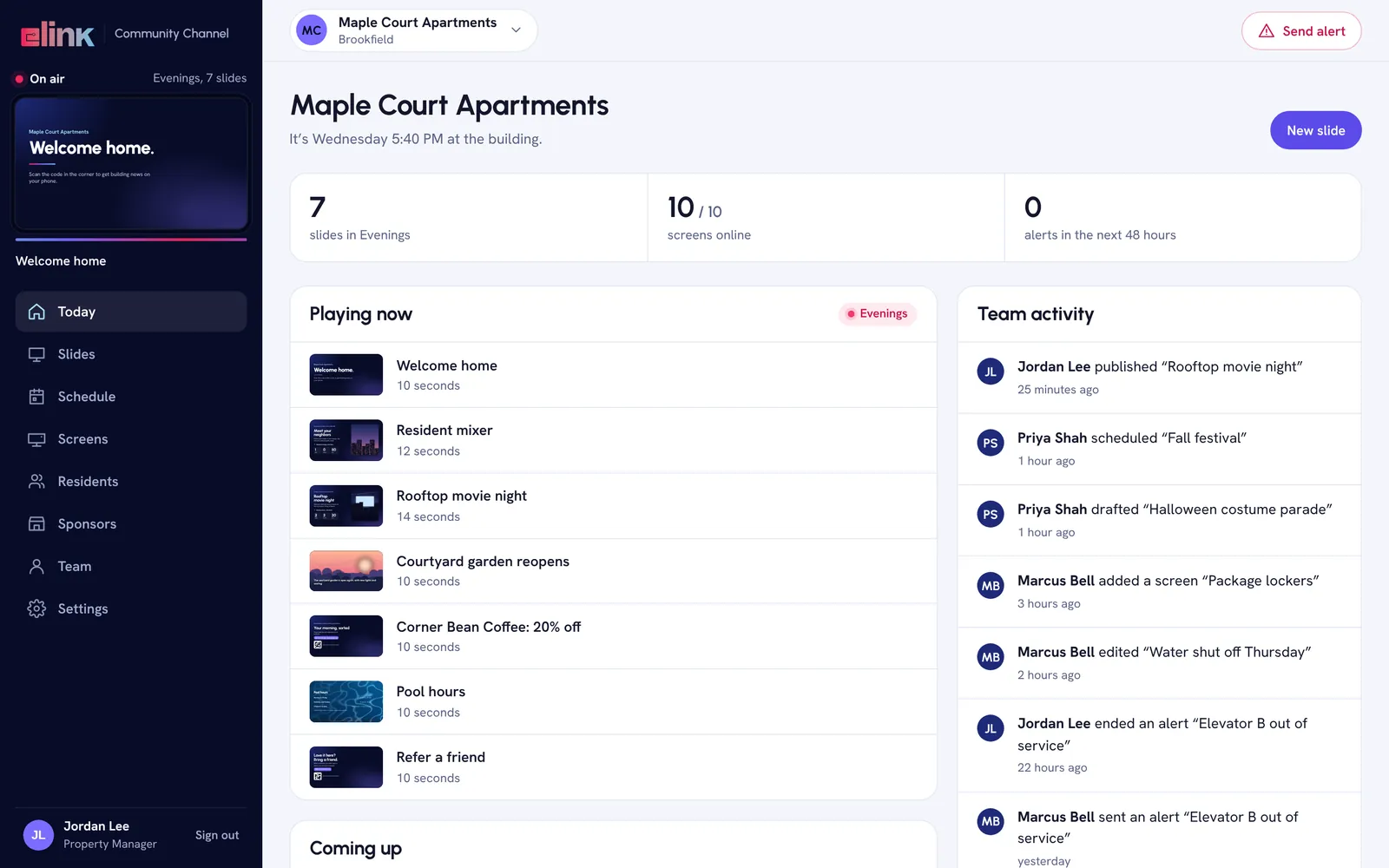
What is on air, right now
The live loop plays in the corner exactly as the TVs show it, with what is coming up and everything your team did today.
- Slides on air, screens online and alerts ahead
- An activity feed of who published, scheduled or edited what
- Send an alert from any page
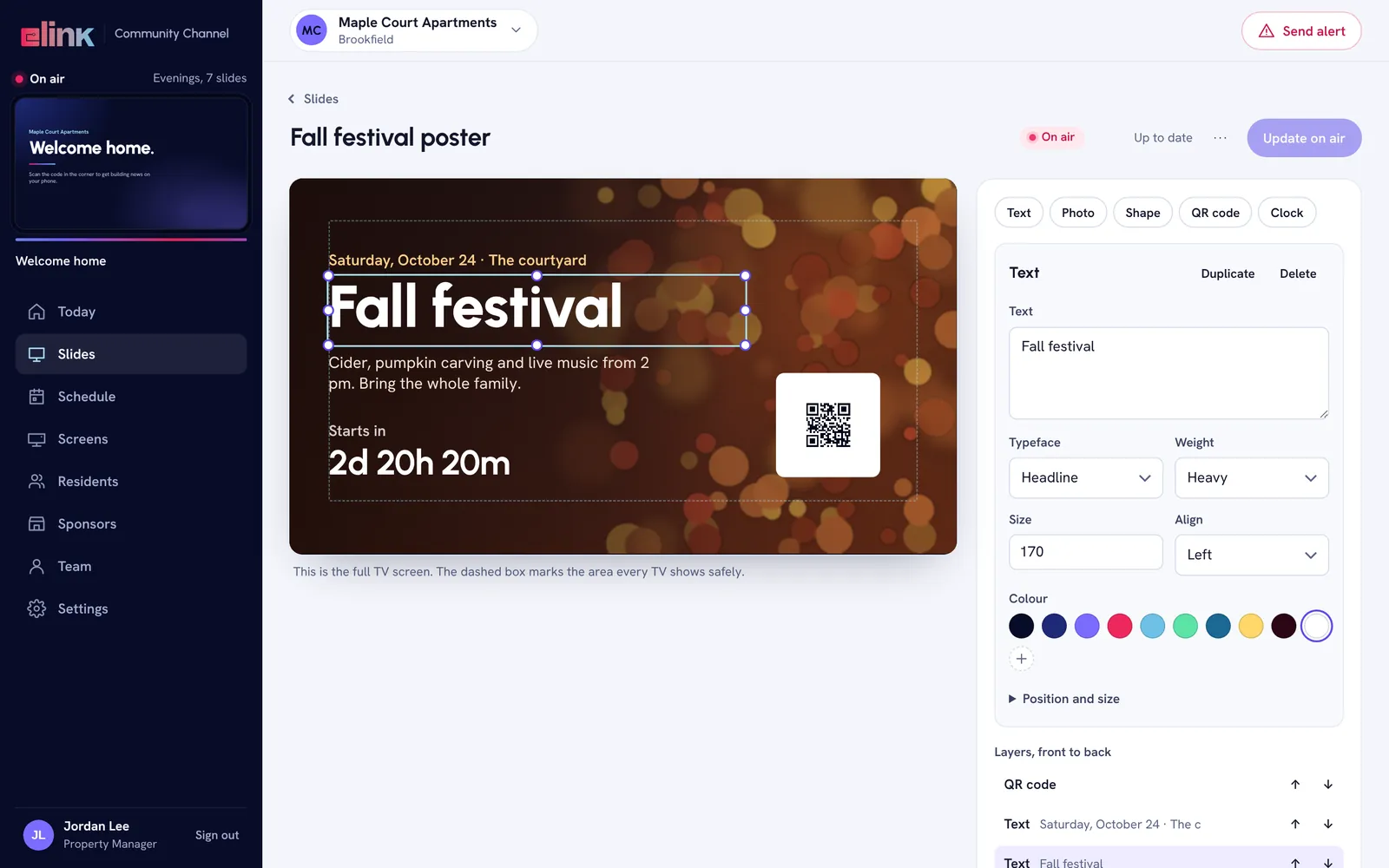
Design a slide in minutes
Start from one of 13 templates or a blank screen. Drag in text, photos, a QR code, a countdown, the clock or the weather.
- 17 kinds of layers, from text and photos to tickers and countdowns
- The dashed box shows the safe area every TV displays
- Publish, and it reaches every screen in about 15 seconds
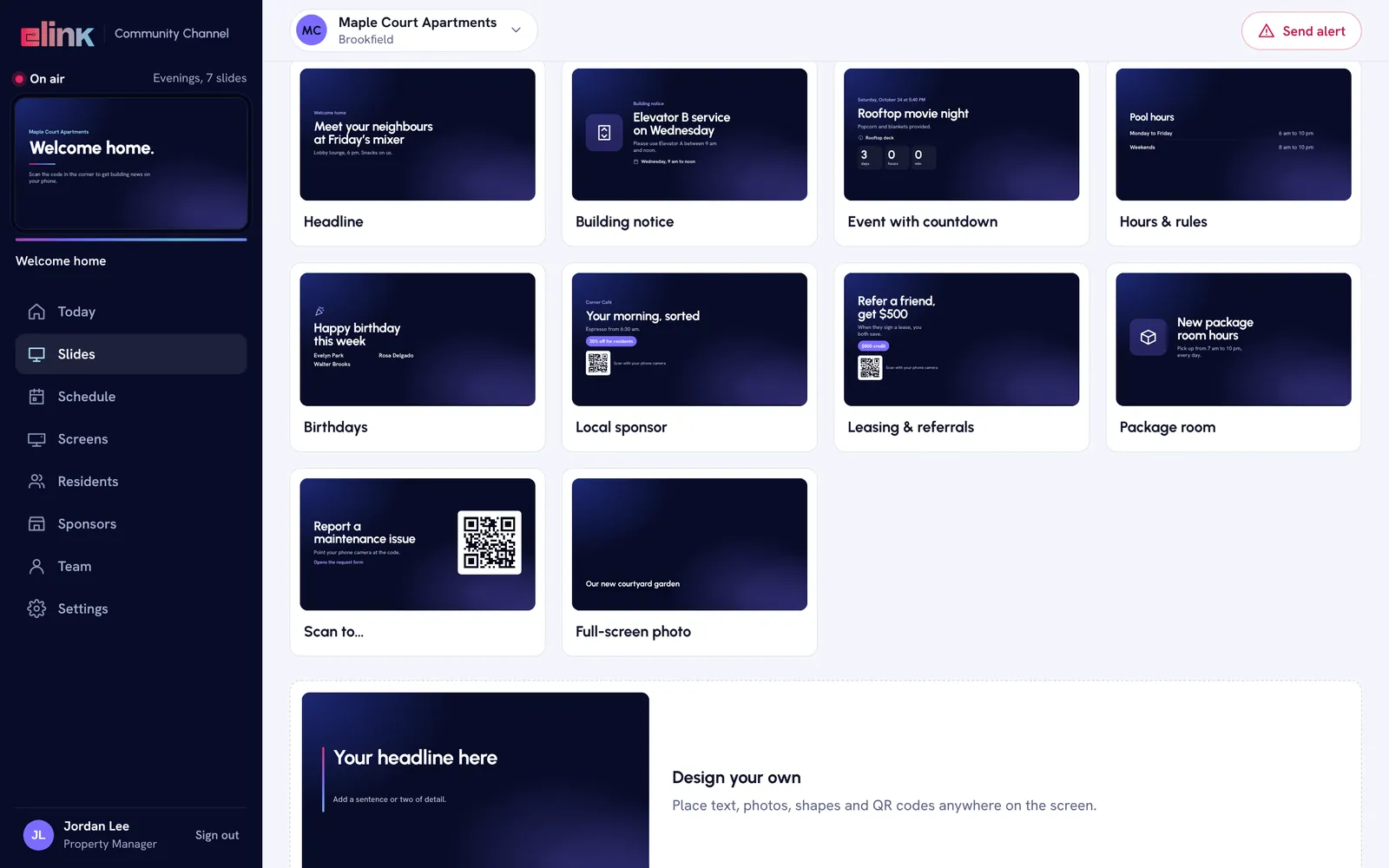
Drafting slides from a description needs an AI key in Settings.
Thirteen templates to start from
Events, notices, amenity hours, welcome messages, sponsors and more, each ready for your words and photos.
- Write a plain description and get a first draft of a slide
- Your colors and logo on every template
- A photo library for seasons, holidays and amenities
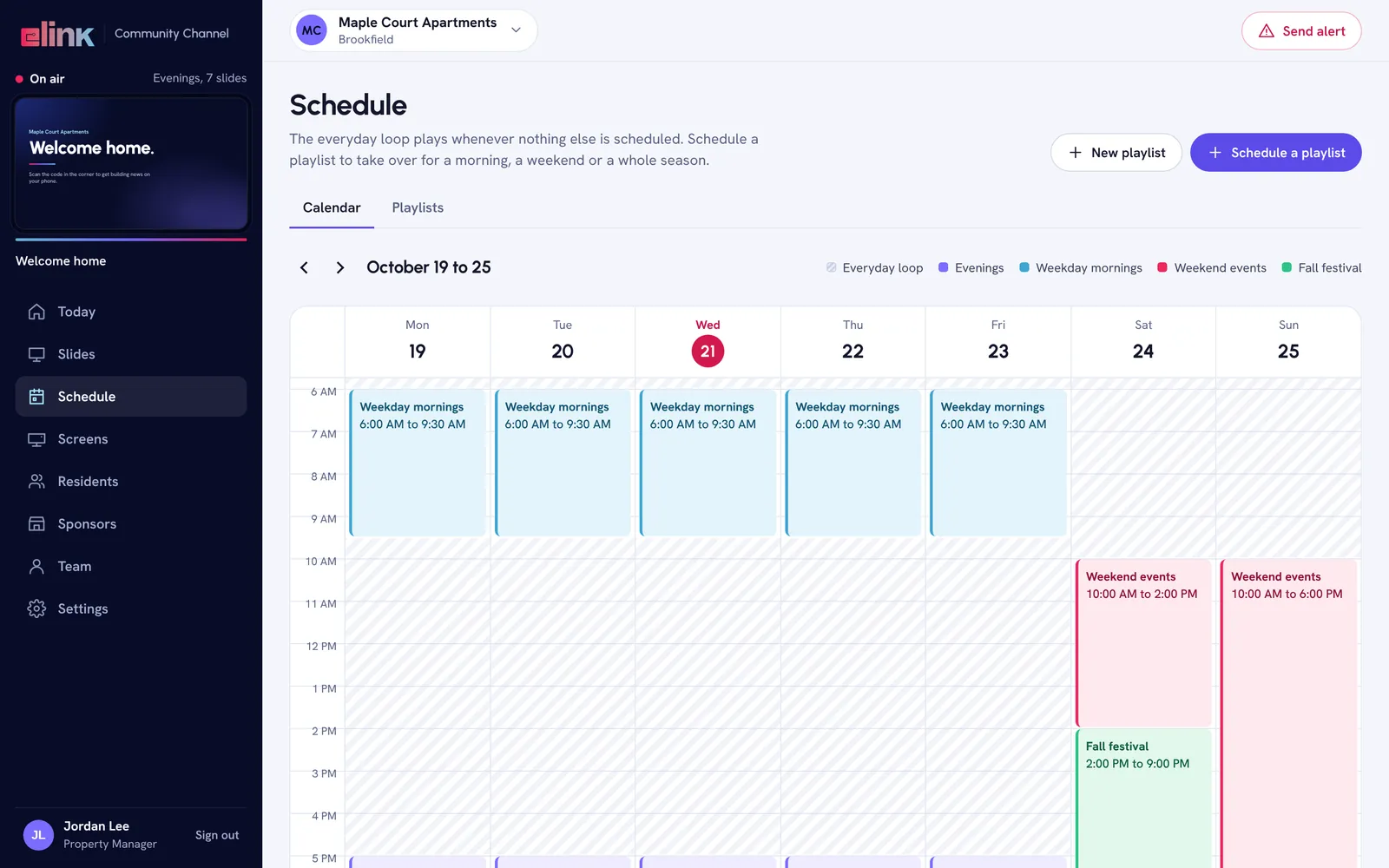
Schedule by day and time
Playlists take over for a morning, a weekend or a whole season. When nothing is scheduled, the everyday loop plays, so screens are never blank.
- Repeat rules and start and end times
- Take priority for the moments that matter
- Times follow the building’s time zone
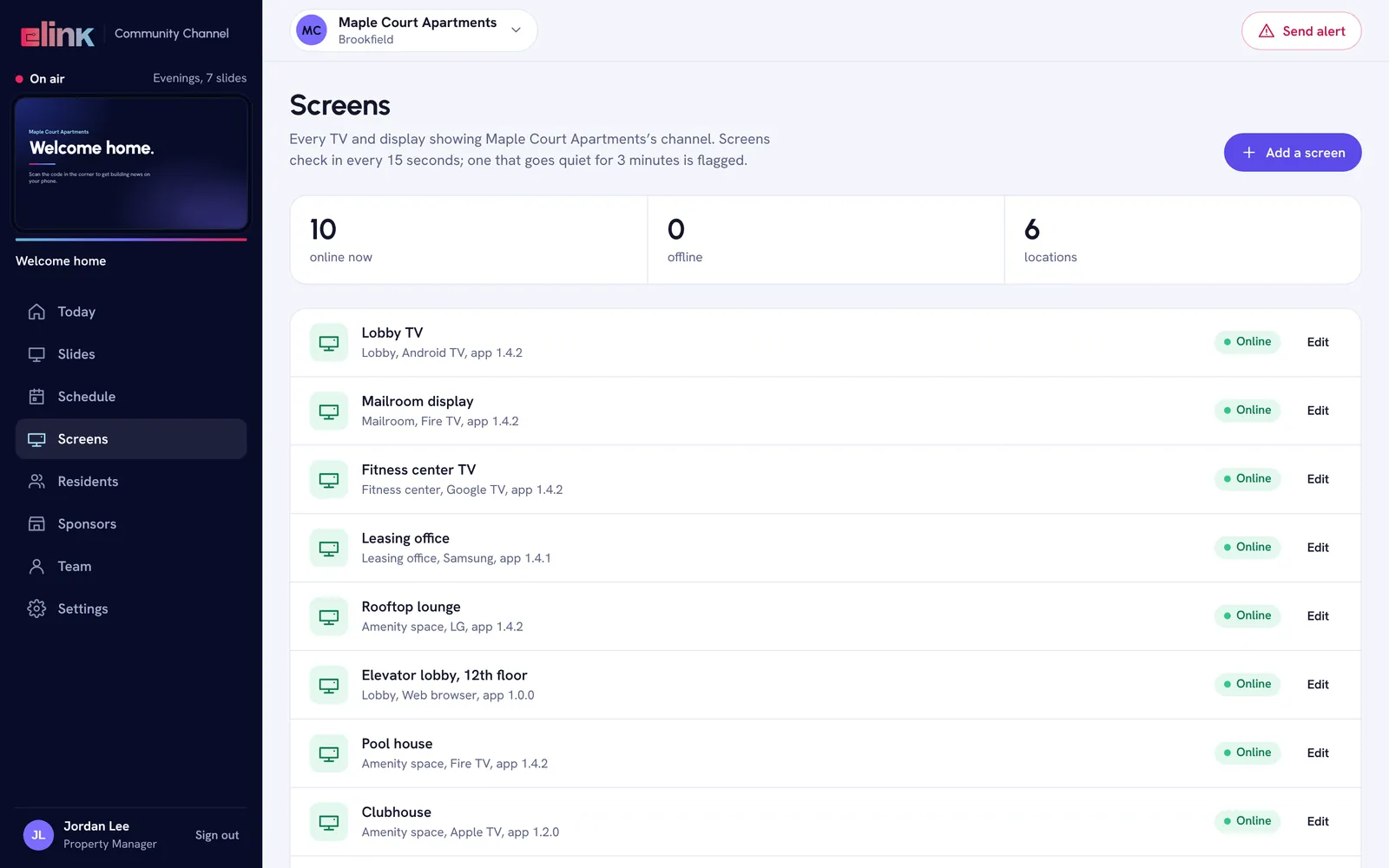
Every screen, checked every 15 seconds
Each TV and display checks in, so you see what is online and what is not. A screen that goes quiet for 3 minutes is flagged.
- Add a screen with the 6-character code it shows
- Screens keep 48 hours of content and play through an internet outage
- Proof of play: each screen reports what aired
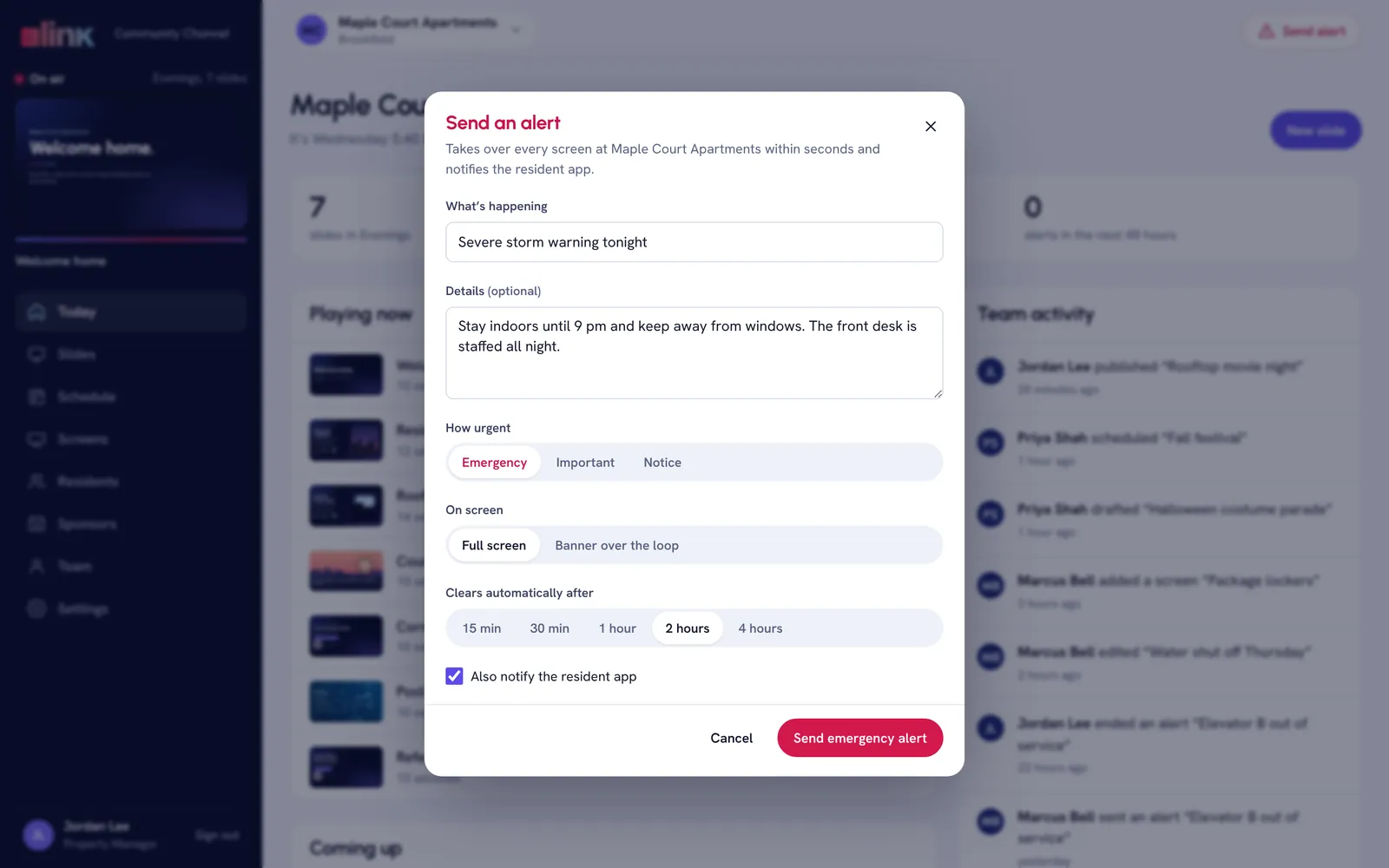
Emergency alerts on every screen
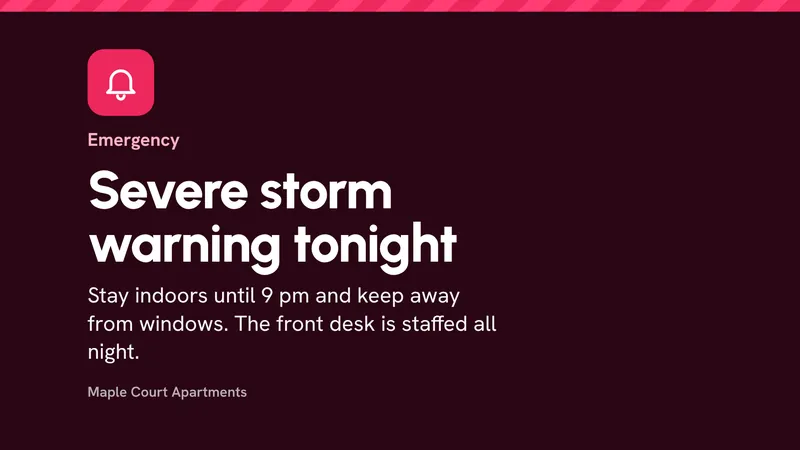
Choose how urgent it is, whether it fills the screen or runs as a banner, and when it clears. It reaches every TV in seconds.
- Emergency, Important and Notice levels
- Clears itself after 15 minutes to 4 hours
- Can also notify the resident app
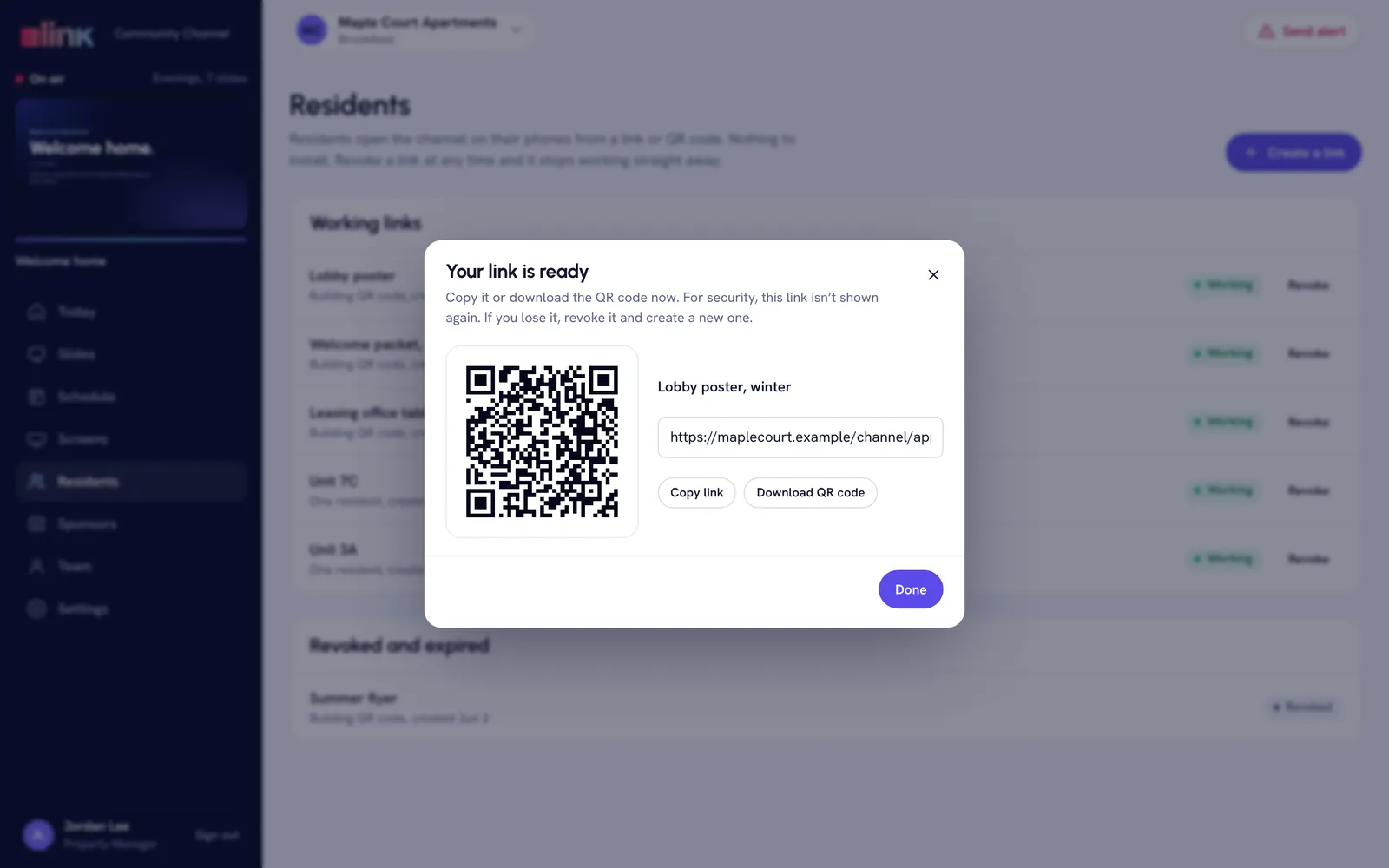
A link and a QR code for residents
Residents open the channel on their phone from a QR code or a link, with nothing to install, and can add events to their calendar.
- Invite residents, or post the QR code in the lobby
- Turn off or expire a link at any time
- A family view for senior communities
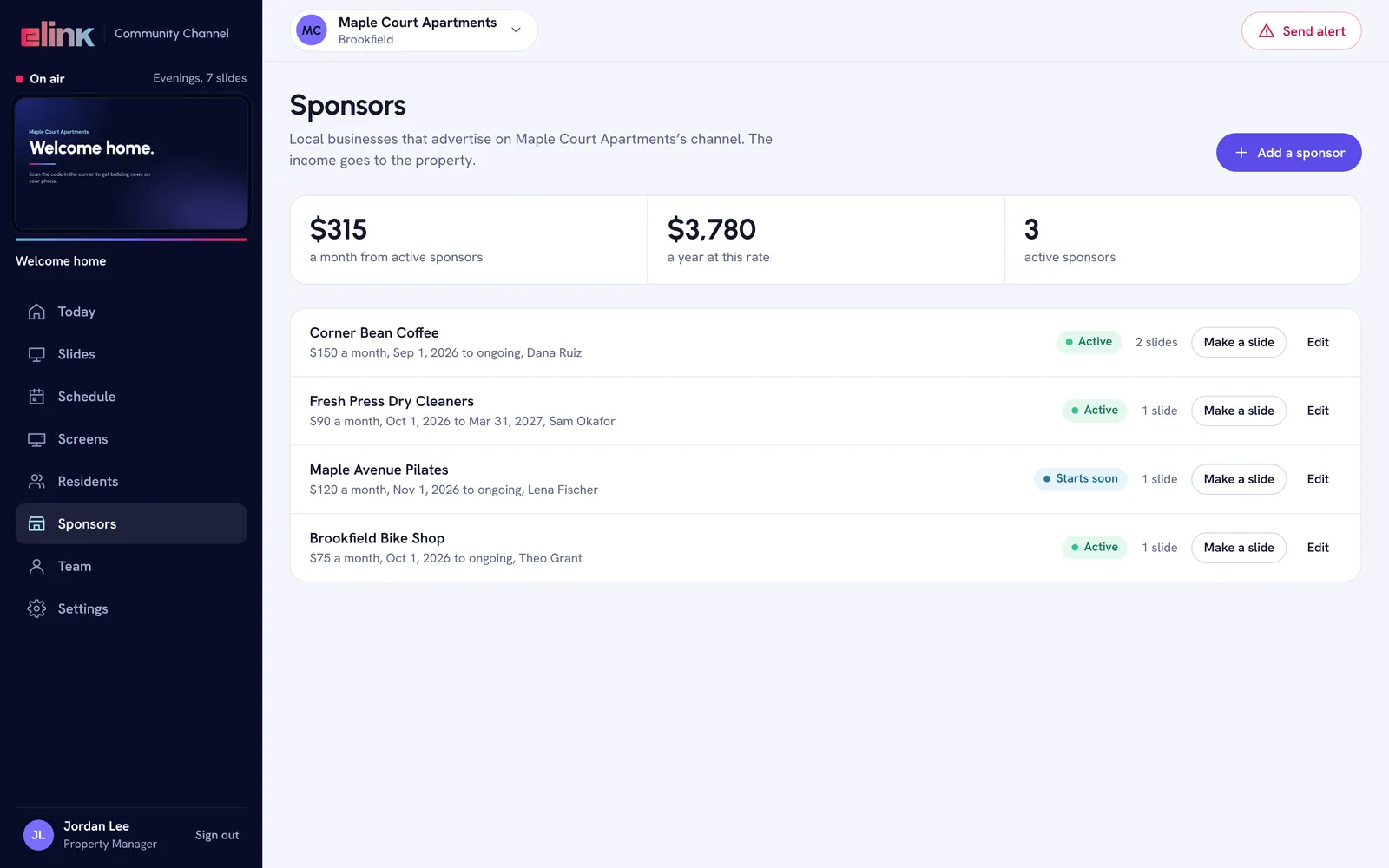
Local sponsors that pay the property
Sell slots to the coffee shop, gym or pizza place down the street. Track each sponsor’s monthly rate and make their slide in one click.
- Monthly rates and yearly sponsor income
- A sponsor slide made from their details
- The income goes to the property
Real screens with a sample building. Every name and number is sample data.
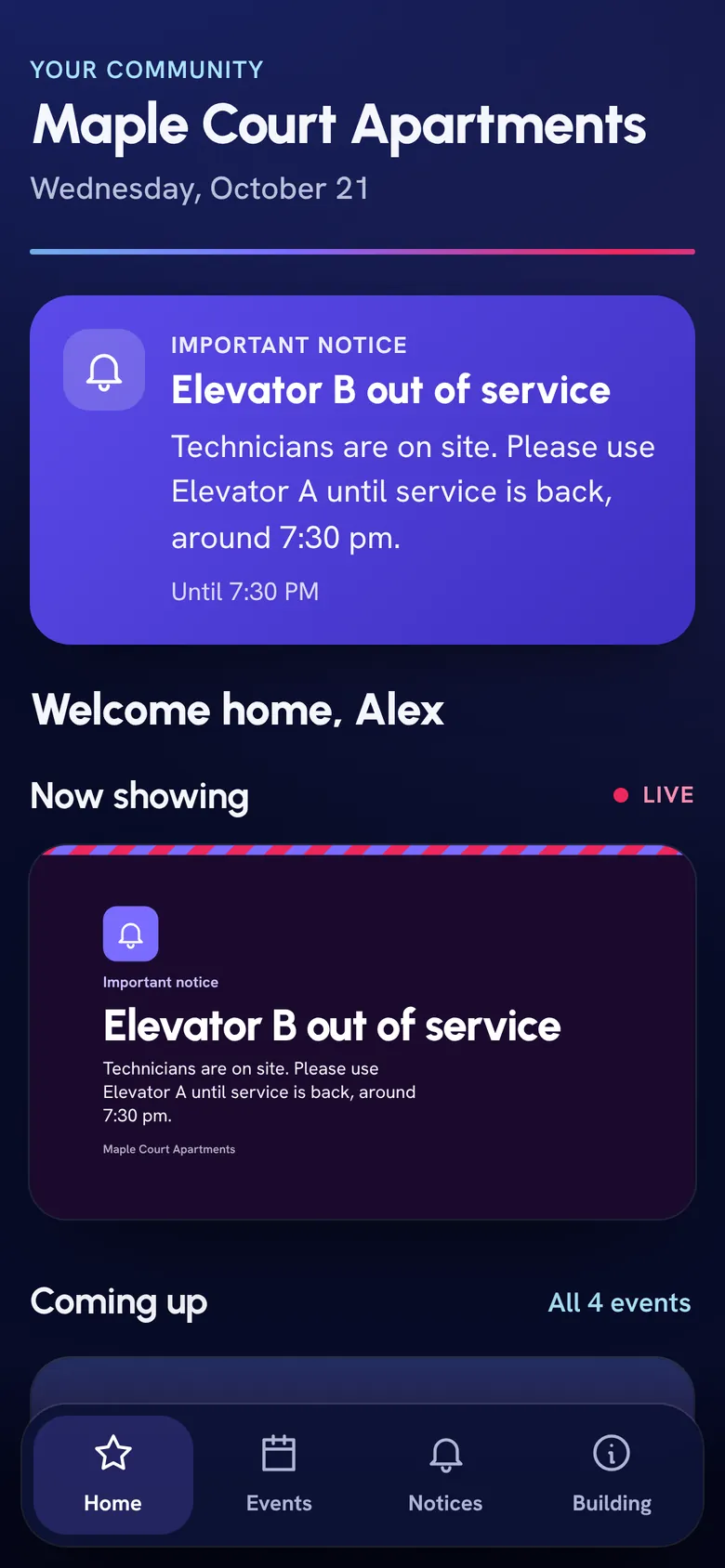
What residents see on the TV
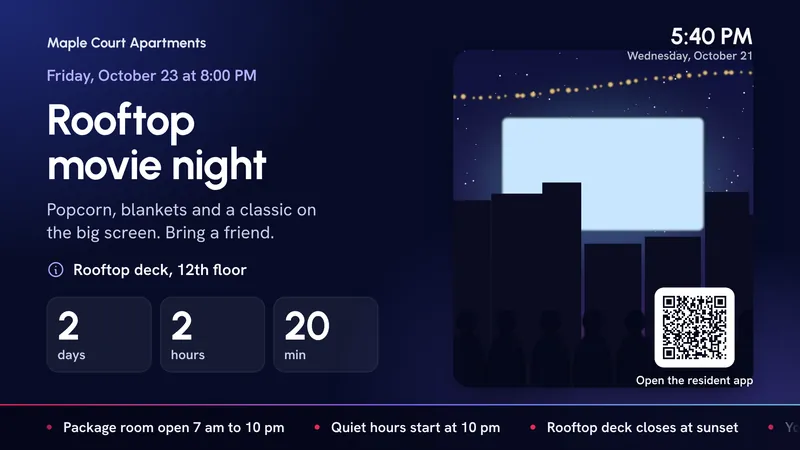
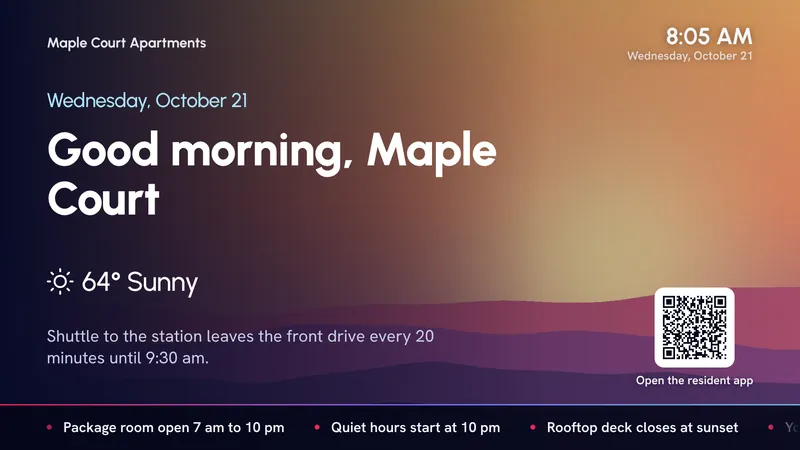
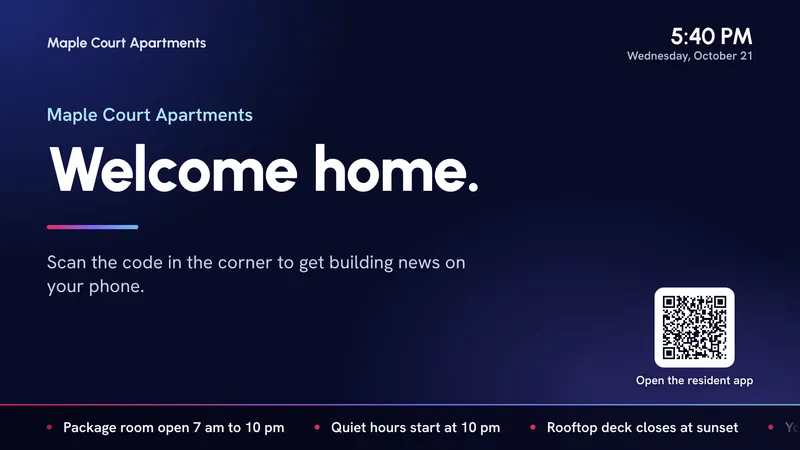
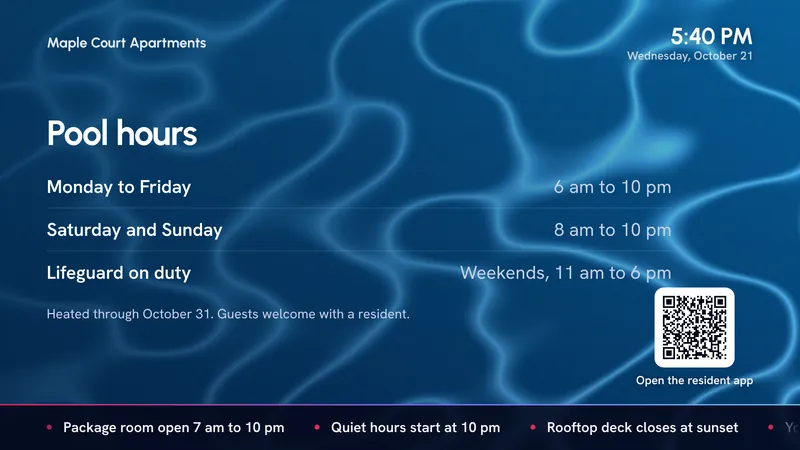
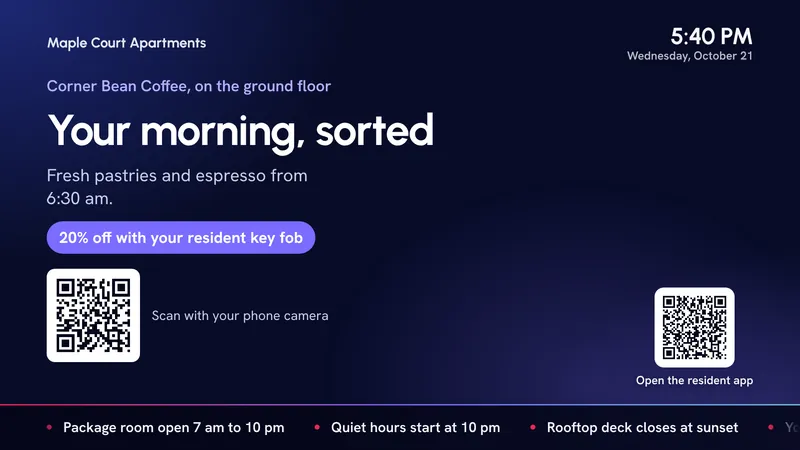
Full-screen slides with the time, a QR code to the resident app and a news ticker along the bottom.
And on their phone
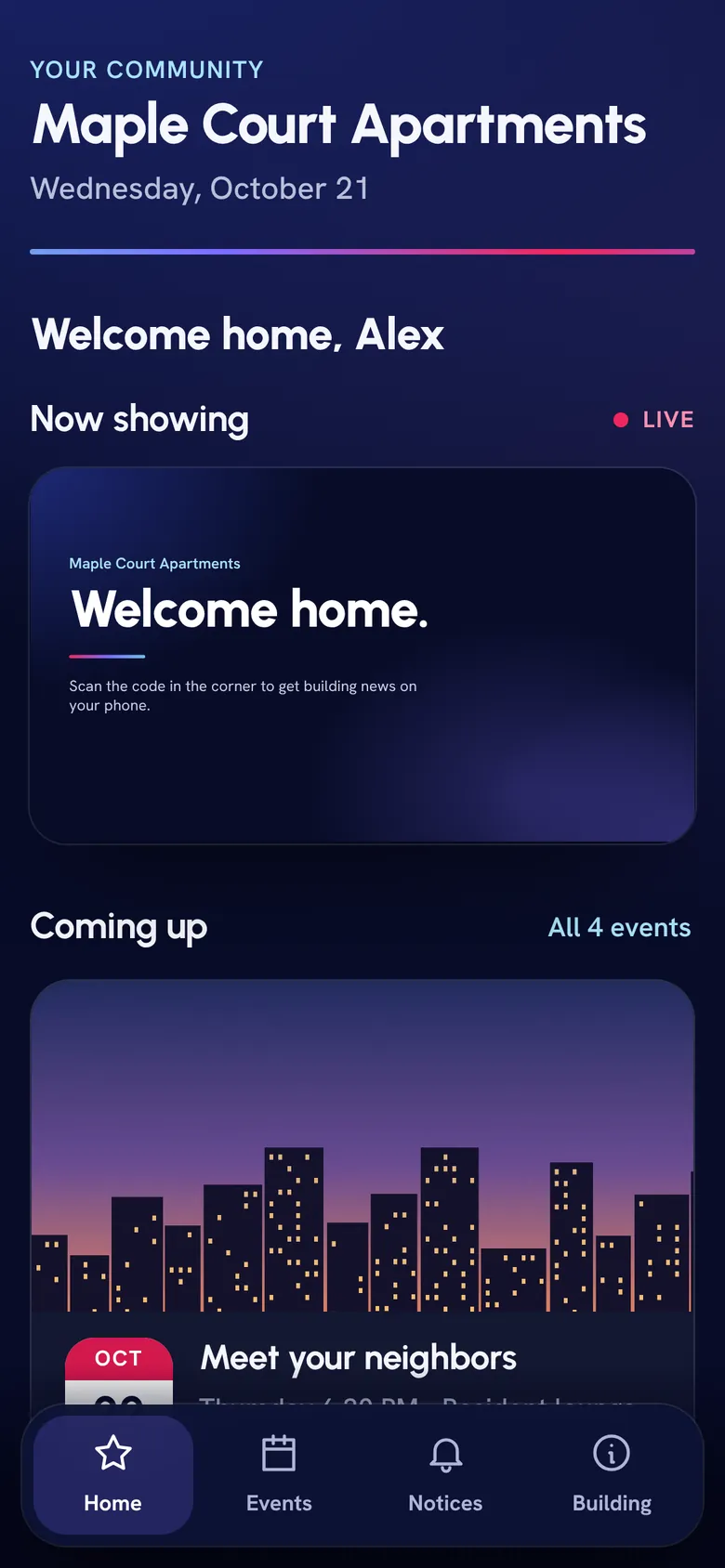
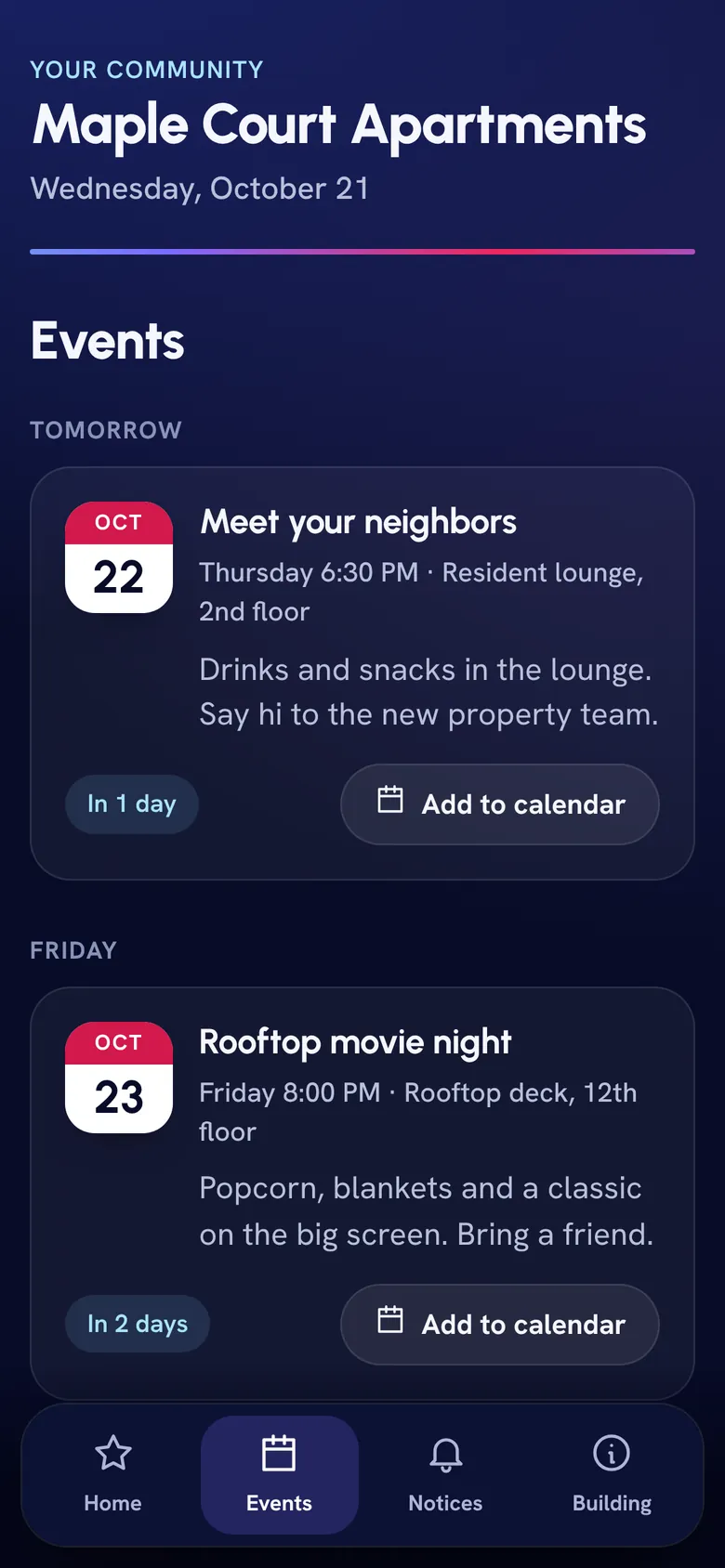
The resident app opens from the QR code on every slide. Events, notices and building info, with nothing to install.
Who it is for
Built for your kind of building
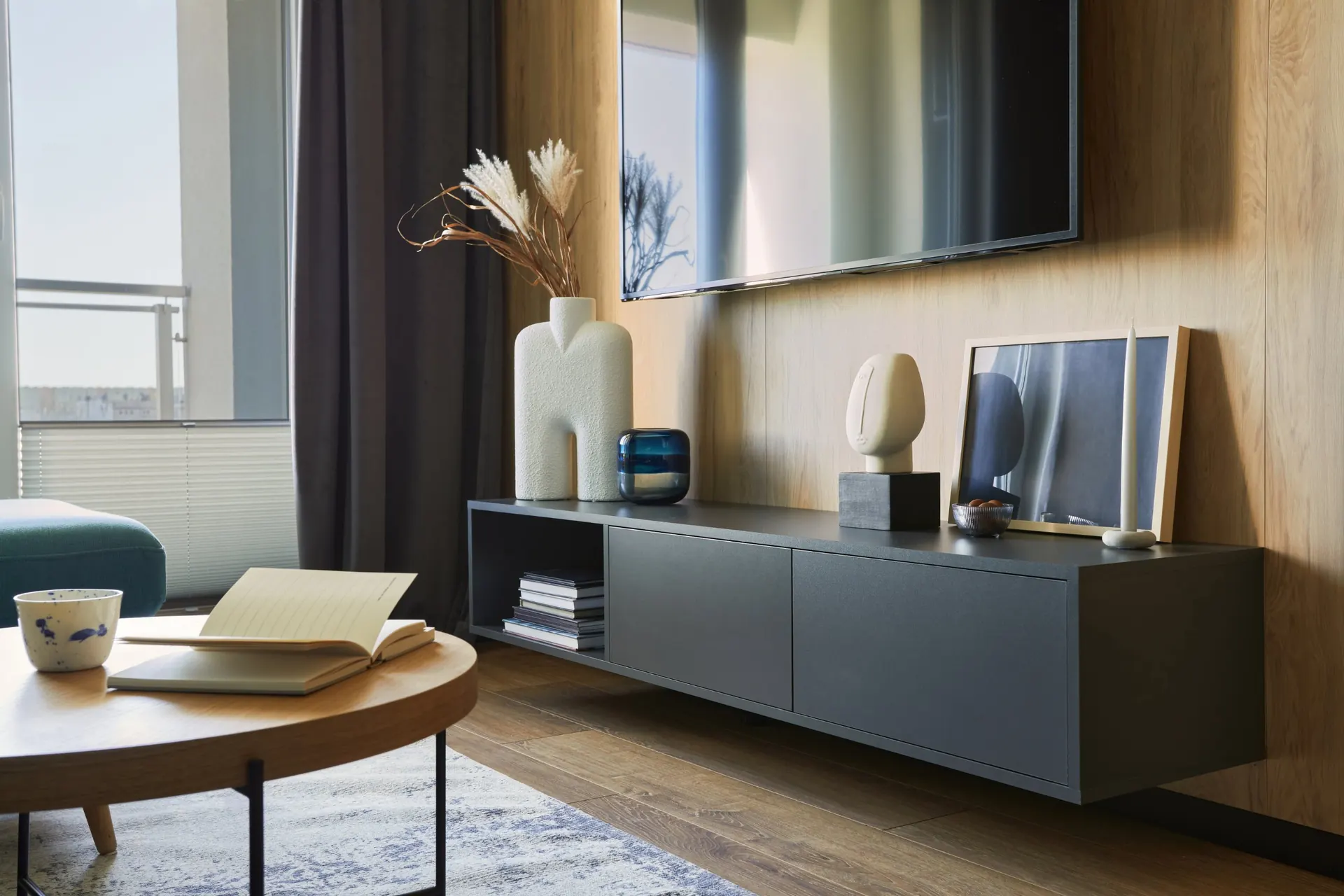
Pick your building type. Apartments need rules, notices and revenue; senior communities need menus, activities and large type.
What goes on an apartment building’s channel
Everything your residents ask the front desk, the notices that usually end up taped to the elevator, and a line of revenue from local businesses.
Building announcements
Water shut-offs, elevator work, fire-alarm tests. Post it once and it is on every screen, then it takes itself down when the work is done.
Rules and amenity hours
Pool rules, quiet hours, guest policy, gym hours, the bike room. The questions your front desk answers ten times a day, answered on screen.
Local advertising
Sell slots to the pizza place, the dry cleaner and the gym down the street. They reach every resident; you keep the revenue.
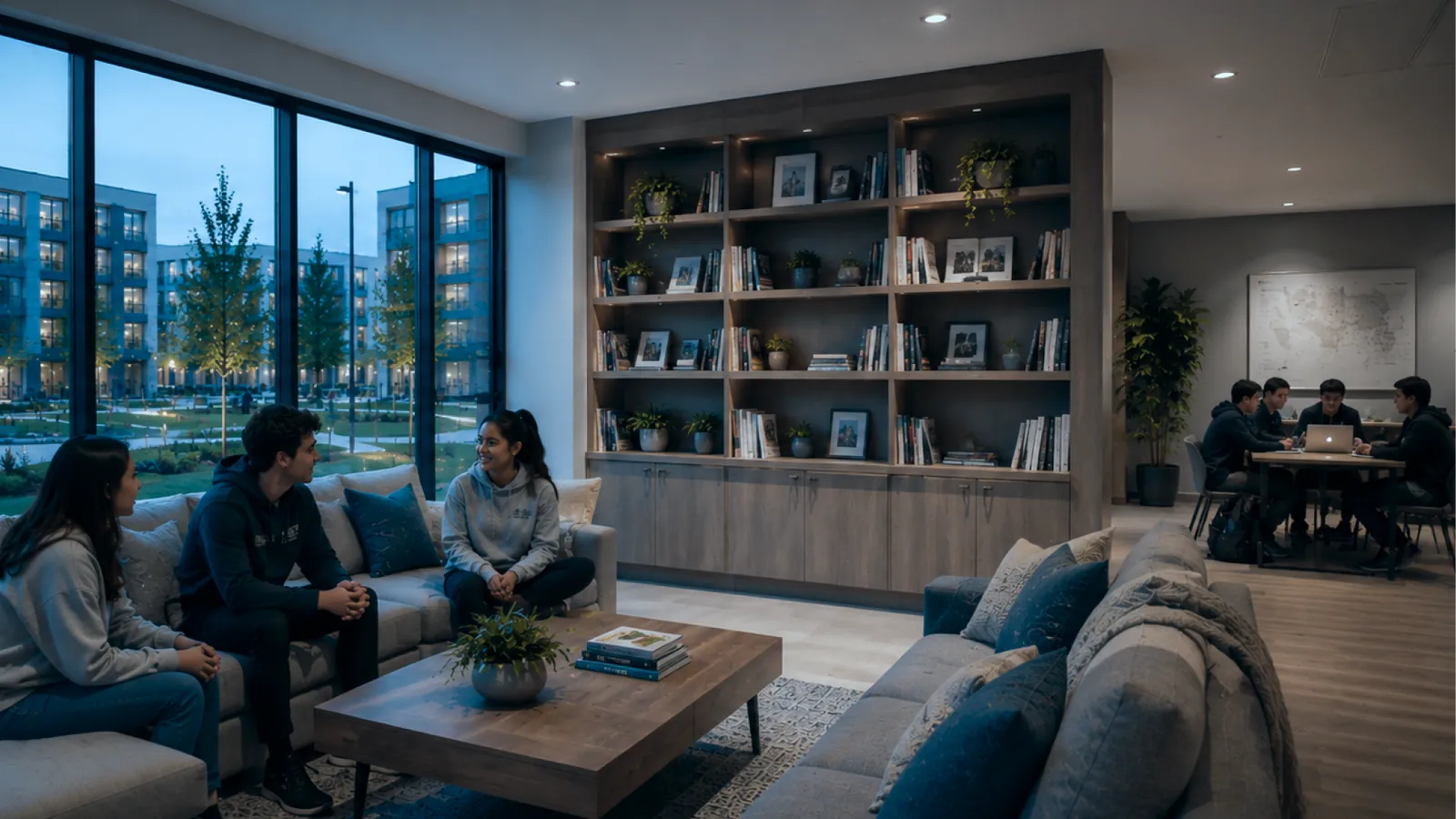
Events and community
Rooftop movie night, the holiday party, a welcome for new neighbors. A countdown on the slide builds the turnout for you.
Leasing and renewals
Refer-a-friend offers, renewal reminders, available units and tour highlights on the leasing office screen.
Packages and deliveries
Mailroom hours, new lockers, holiday delivery cut-offs. Fewer calls asking where a box went.
A scrolling notice
A ticker along the bottom for rent reminders, recycling day or a quick welcome, without rebuilding the screen behind it.
Weather, clock and QR codes
Live weather and time, a countdown to the party, and a QR code that opens your resident app or the maintenance request form.
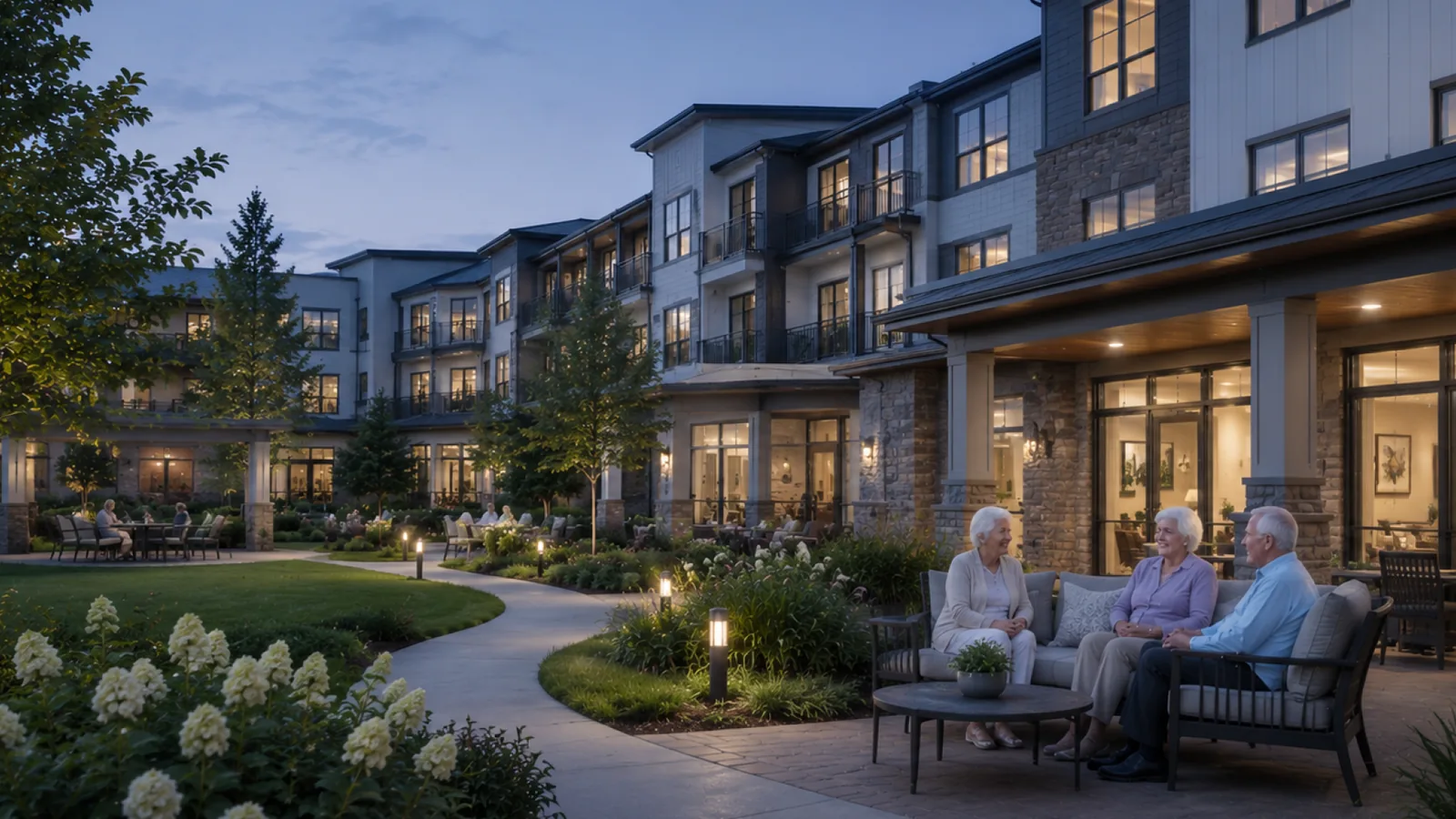
What goes on a senior community’s channel
Menus, activities and celebrations in large, high-contrast type, run by your activities director from any browser in the building.
Dining menus
Lunch and dinner set weeks ahead. The kitchen publishes once and every television is current.
Activities and outings
Bingo at two, piano at three, the bus to the garden centre on Thursday. Residents and visitors see the same day.
Birthdays and celebrations
A birthday, an anniversary, a photo from the summer picnic. The things families stop to read.
Visiting hours and notices
Visiting hours, flu shot clinics, a change in the chapel schedule. Up when it matters, gone when it is over.
Readable from the doorway
Type sized and contrasted for residents with reduced vision, on templates written for community life.
A family view
The same day on a daughter’s phone three states away. Mark any slide TV-only and it stays in the building.
New revenue
Your screens can pay for themselves
Local businesses want to reach a building full of neighbors. Sell them a slot in the rotation: the pizza place, the dry cleaner, the gym on the corner. You set the price, approve every slide, and keep the revenue.
- Sponsor slides with a QR code for the offer
- Schedule them by day, hour or season
- Leasing promos and referral offers use the same slots
Write it once
Describe the slide. Get a draft back.
Type “pool closed Monday for cleaning” and a finished slide appears in the editor, ready to adjust. It keeps headlines short and leaves a detail blank rather than invent one.
- It never makes up a time or a name
- Nothing goes on air until a person publishes it
- Every slide stays editable
A dashboard your team will actually use
One browser tab, every screen in the building. No software, no IT ticket, no training day.
A calendar, not a settings panel
Drop content on a day. Set December’s holiday screens in October and they appear, then disappear, on their own.
Replace or play alongside
A water shut-off can own the screen for the morning while the everyday loop keeps running the rest of the day.
The screen is never blank
There is always a fallback loop underneath. If nothing is scheduled, your everyday content plays.
Templates, or design your own
Start from a layout written for buildings, or drag photos, headlines and shapes anywhere. Snap guides keep it straight.
Backgrounds made to be read
A library of backgrounds with a scrim under the text, because white type on a raw photo is unreadable across a lobby.
Your own photos
The rooftop at sunset beats a stock beach. Upload from your phone and it is on air in a minute.
When it matters
Every screen, immediately
Severe weather, a fire-alarm test, a garage closed for flooding. One button takes over every television and lobby screen at once, and it clears itself at the time you set.
- Full-screen alert in the building’s colours
- Pushed to the resident app at the same moment
- Ends on its own, back to the everyday loop
Resident app
The same board, in every pocket
Residents open a link or scan the QR on the lobby screen and see today’s notices, events, rules and sponsor offers. Nothing to install. For senior communities, families get the same view of their parent’s day.
- Your building’s name, logo and colours
- Mark any slide TV-only to keep it in the building
- Public link or private invites, per building
Reliability
The internet goes down. The channel does not.
Every player holds two full days of schedule and media. If the building loses its circuit on Friday night, Saturday’s notices still appear on time, and the player restarts itself after a power cut. We watch every screen, so a dark one gets noticed by us, not by a resident.
- Two days cached on every player
- Restarts itself after a power cut
- Correct time zone for every building
For portfolios
One building or fifty
A regional manager signs in once and moves between every building from a single menu. A site manager sees only their own. Set permissions per person: the leasing agent posts promos, maintenance posts shut-offs, and nobody deletes what they should not.
How it works
One visit. Nothing changes in resident units.
We connect the channel
We add a small player to the building’s TV system and your lobby screens in one visit. Nothing changes in resident units.
It lands on a channel you pick
Residents find it in the guide like any other station. No new remote, no new box.
Your team signs in
From any browser. We build your first screens with your real notices, rules and events.
Post, and every screen updates
New content reaches every screen in under a minute, or waits on the calendar until its day.
What most signage leaves out
General-purpose signage is built for a store with four lobby displays. An apartment building is a different problem.
| Typical signage | Elink community channel | |
|---|---|---|
| Buildings and portfolios | One flat account | Every building from one login |
| Who can post | A few fixed roles | Permissions per person |
| Overlapping schedules | Undefined | Replace or play alongside |
| Emergency takeover | Not offered | One button, clears itself |
| Planning view | Settings dialogs | A month calendar |
| Residents on their phones | Nothing | Resident app included |
| Templates | Retail and restaurant | Written for buildings |
| Weather on screen | Paid add-on | Included, works offline |
| AI slide help | Nothing | Describe it, get a draft |
| Internet outage | Screen goes dark | Two days cached on the player |
| Separate bill | Yes, its own subscription | Part of your Elink service |
Community channel questions
Straight answers. Anything else, ask our team.
Does it work on every resident TV?
It appears as a channel on resident TVs that get Elink TV service, and on any lobby, gym, mailroom or leasing screen you want. We confirm which screens it reaches during the site visit.
Who updates it?
Your property manager, leasing team or activities director, from any browser. It is templates and a calendar, not a design tool, and we build the first screens with you.
Can we sell advertising on it?
Yes. Many owners sell sponsor slots to local businesses: restaurants, dry cleaners, gyms, dentists, pet groomers. You set the price and keep the revenue; the channel just shows the slide on the schedule you pick.
What happens in an emergency?
One button puts a full-screen alert on every screen at once: severe weather, a fire-alarm test, a garage closure. It clears itself at the time you set, so nobody has to remember to turn it off.
What if the building’s internet goes down?
The channel keeps playing. Each player holds two days of schedule and media, and starts itself again after a power cut.
Can residents see it on their phones?
Yes. The resident app shows the same notices, events and rules on a phone, with nothing to install. Mark any slide TV-only and it stays on the screens.
We manage several buildings. One login?
Yes. A regional manager moves between every building from one menu; a site manager sees only their own. Permissions are set per person.
Is it an extra bill?
No. The community channel is part of your Elink service. Pricing for your building comes with your proposal.
Every night
Something for everyone in the house
Comedies, reality, game shows and dramas, live and on demand.
Abbott ElementaryABC 
Below Deck Down UnderBravo 
The OfficeComedy Central 
Best MedicineFOX 
Family FeudLocal channels
Premium networks such as HBO Max, Paramount+ with SHOWTIME, STARZ and MGM+ are included with Premier or on us with select packages. Shows on local channels depend on your local stations. Shows and logos belong to their owners.
Put your building on every TV
We will set up your first screens with your real notices, rules and events, and show your team how to run it.
Already an Elink resident? Get support here instead.