
Landlord portal
Your buildings, your revenue, one login
See every unit, resident and dollar your network earns. Run the Wi-Fi, put your building on every TV, sign residents up with your own link and book installs, without calling anyone.
Real portal screens with a sample building. Pricing and margins vary by building and are confirmed after a site survey.
Real screens
Take the tour
The screens you get when you sign in, shown with a sample building. Pick a tab.
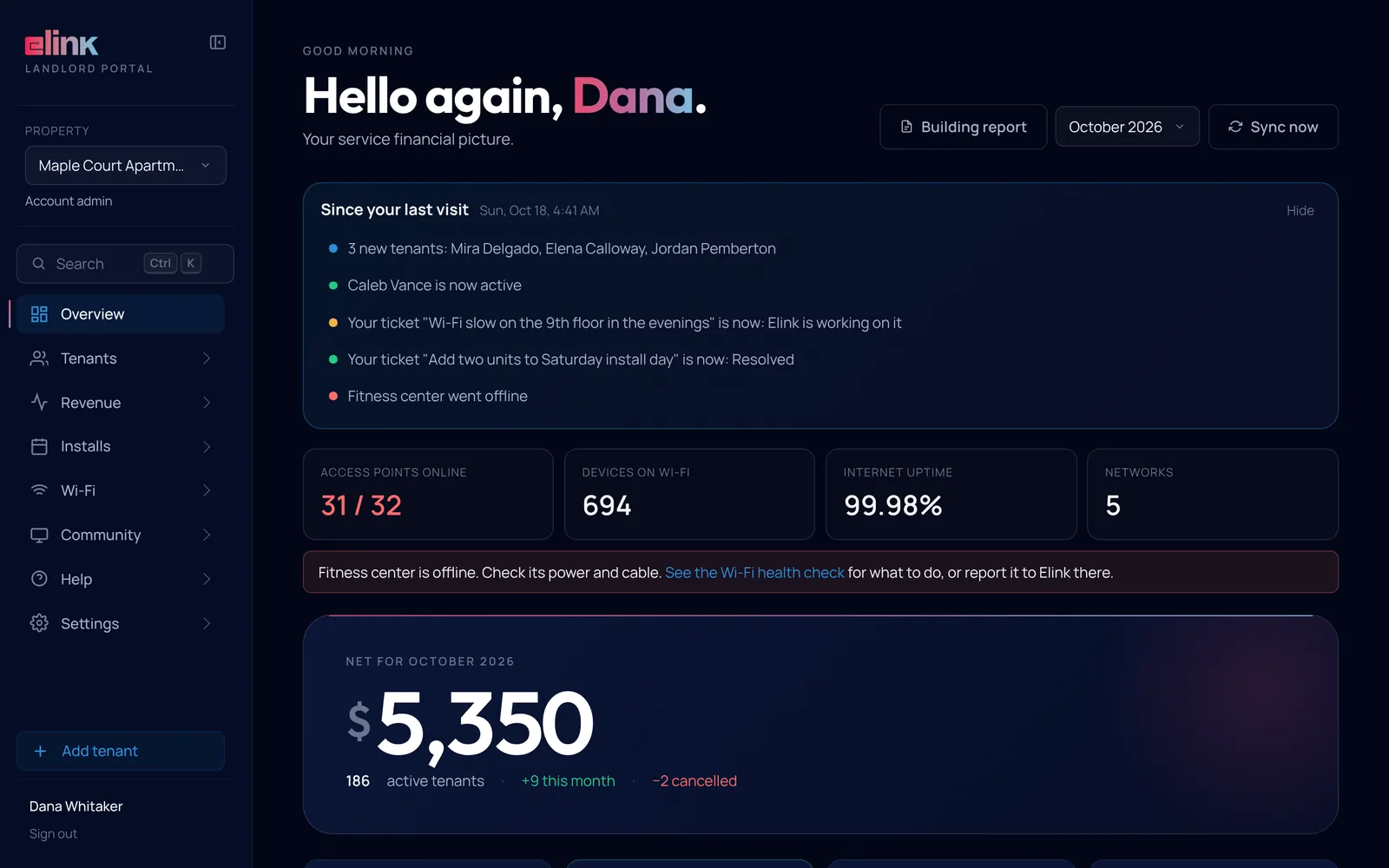
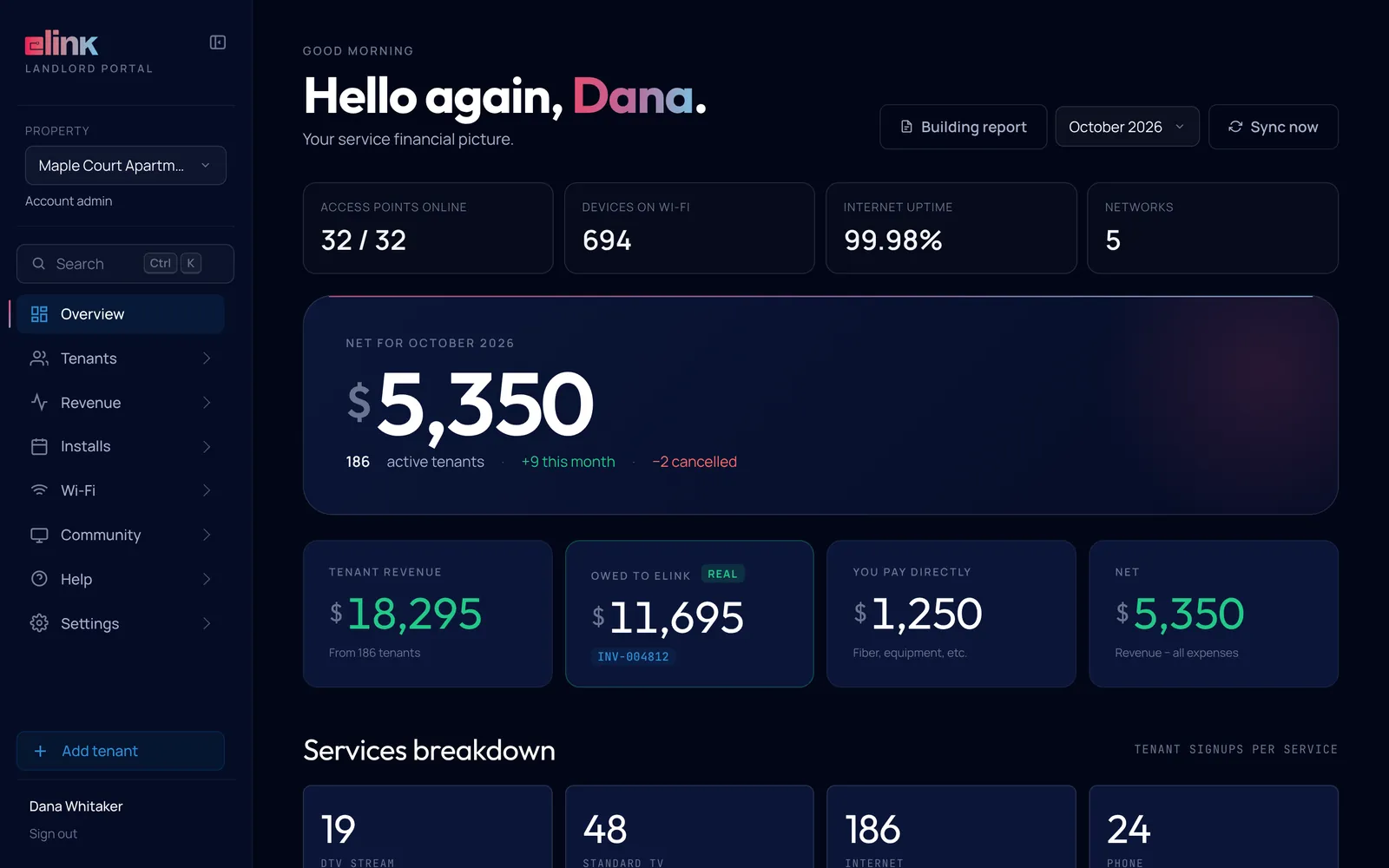
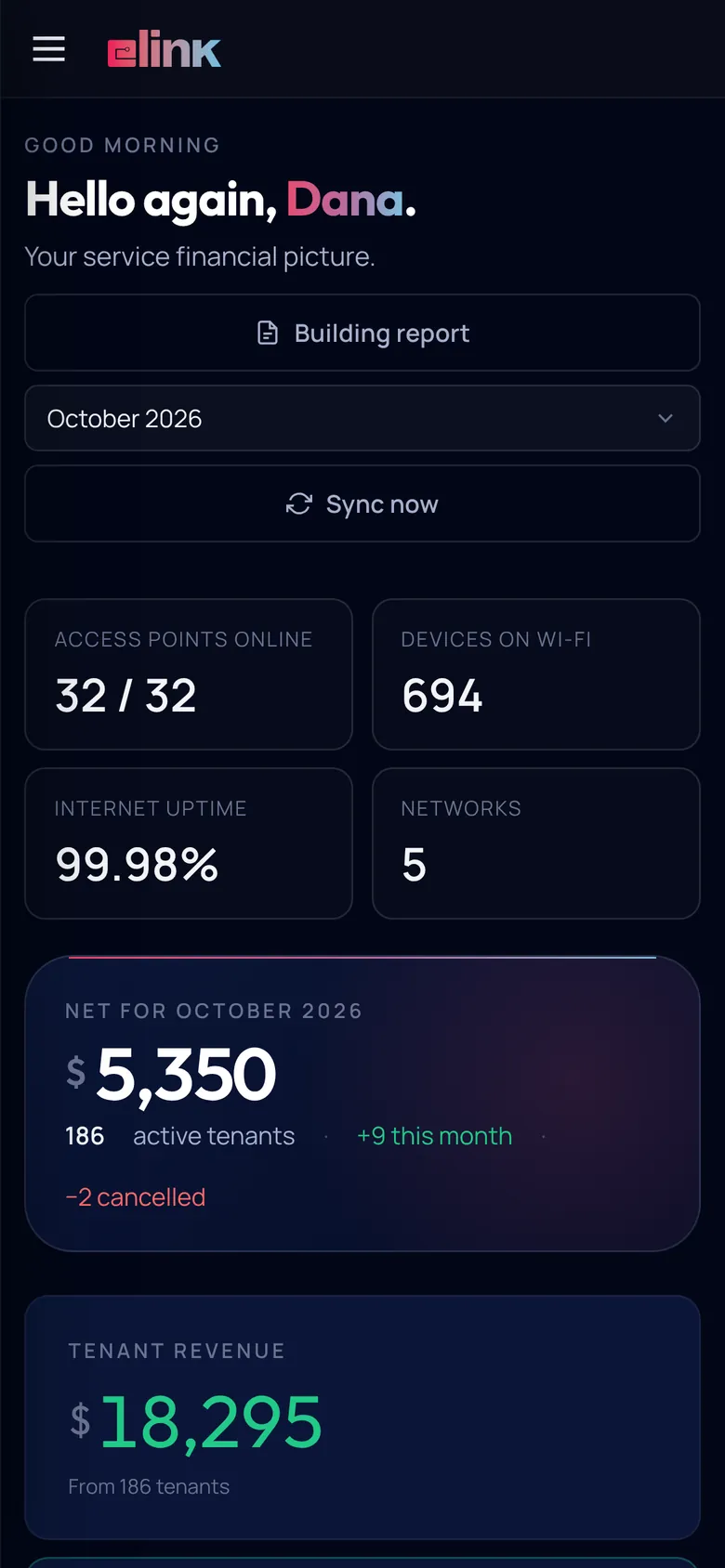
Your building at a glance
Net income for the month, what tenants paid, what is owed to Elink and how the Wi-Fi is doing, on one screen.
- Since your last visit lists new tenants, ticket updates and access points that dropped
- A one-page Building report to print or save as a PDF for owners
- Press Ctrl K to jump to any tenant, network, ticket or guide
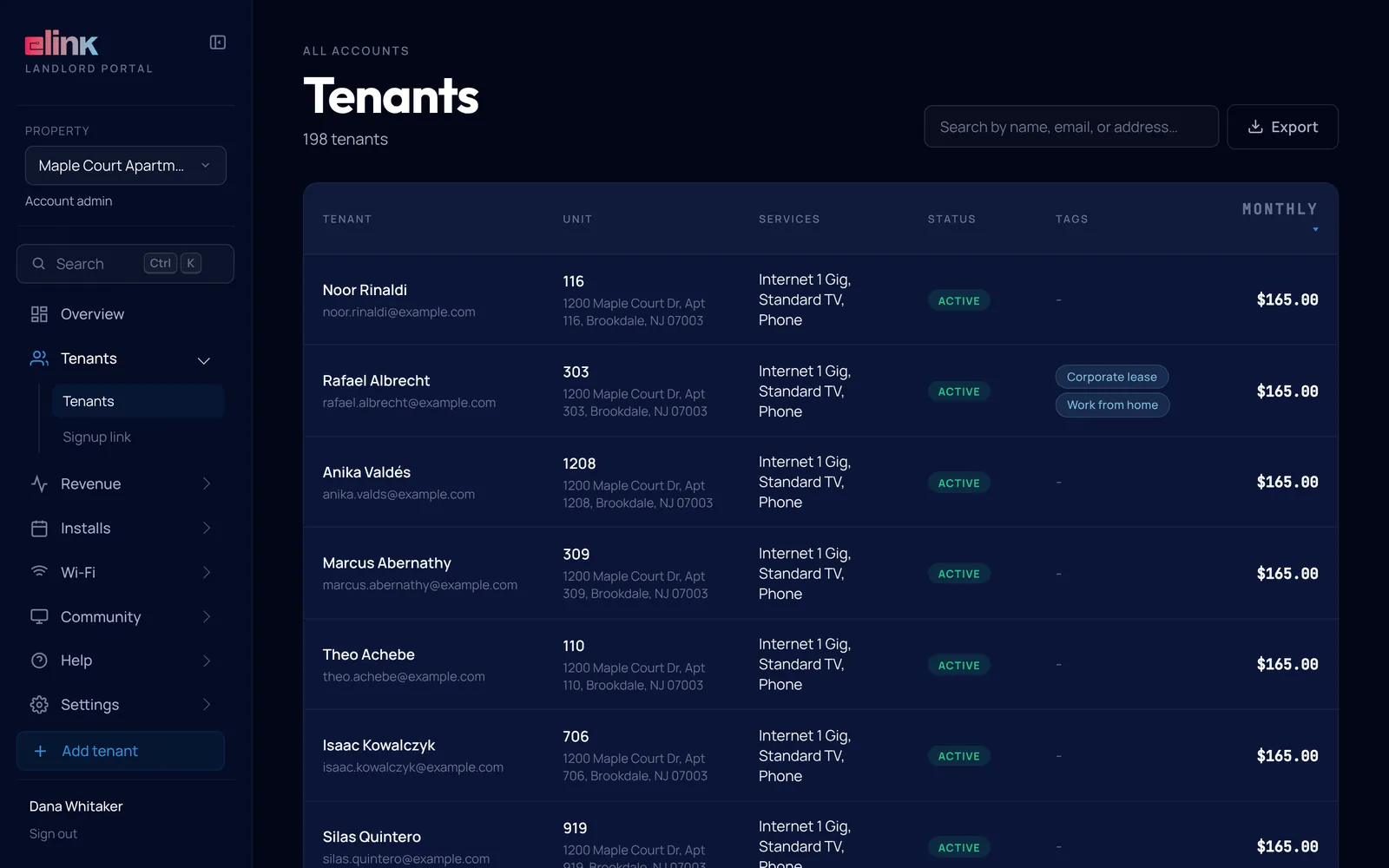
Every tenant, unit and service
Search and sort every resident by unit, services, status and monthly charge, and open anyone for the full picture.
- Export the list to CSV, Excel or PDF
- Add a tenant and choose their services yourself
- Ask for a cancel, upgrade, pause or move-out in two clicks
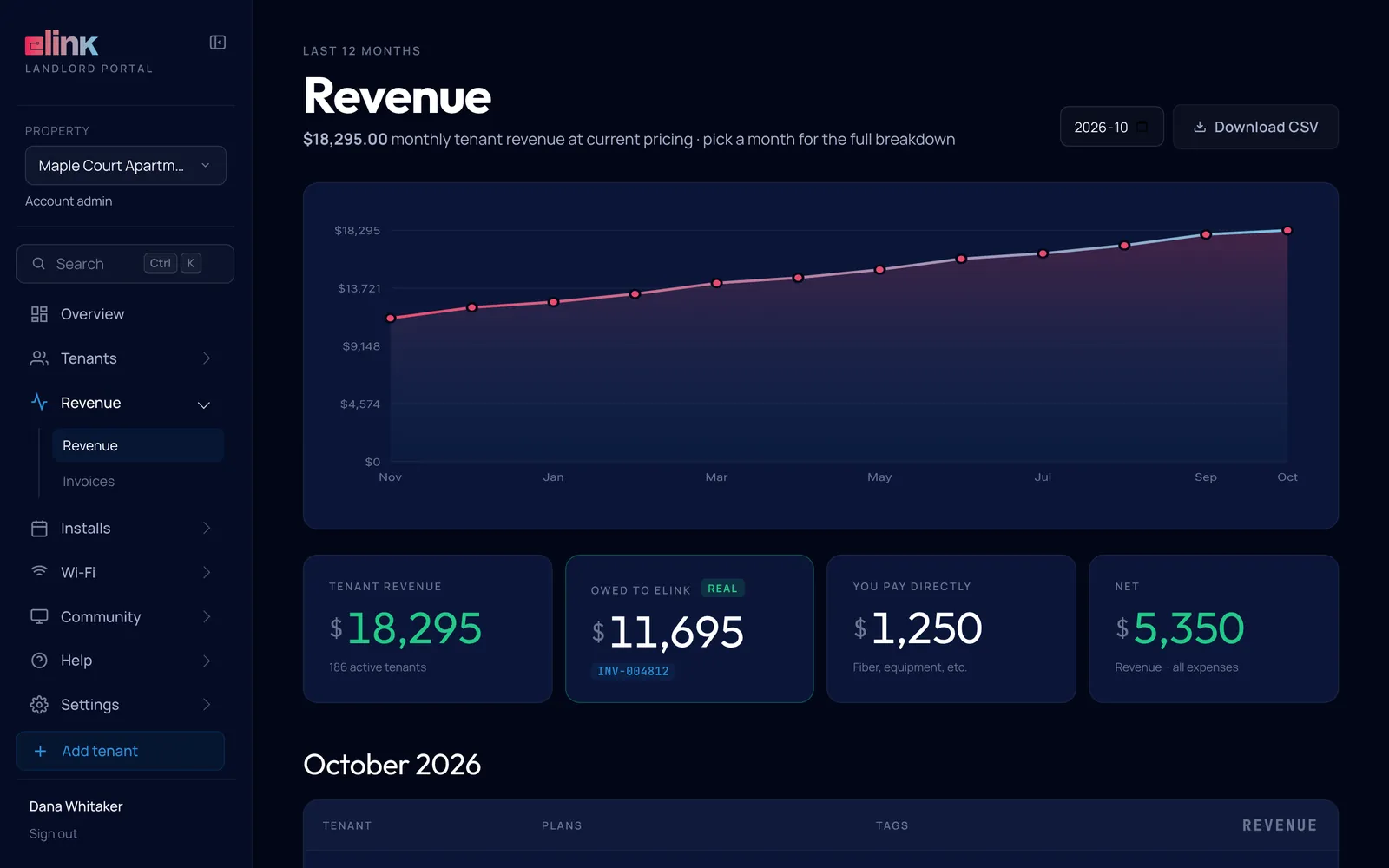
Sample figures. Your proposal shows the numbers for your building.
Twelve months of revenue
Tenant revenue, what you owe Elink and your net, month by month, with invoices in their own tab.
- Pick any of the last 12 months for the full breakdown
- Download the month as a CSV for your accountant
- Invoices with balances and line items
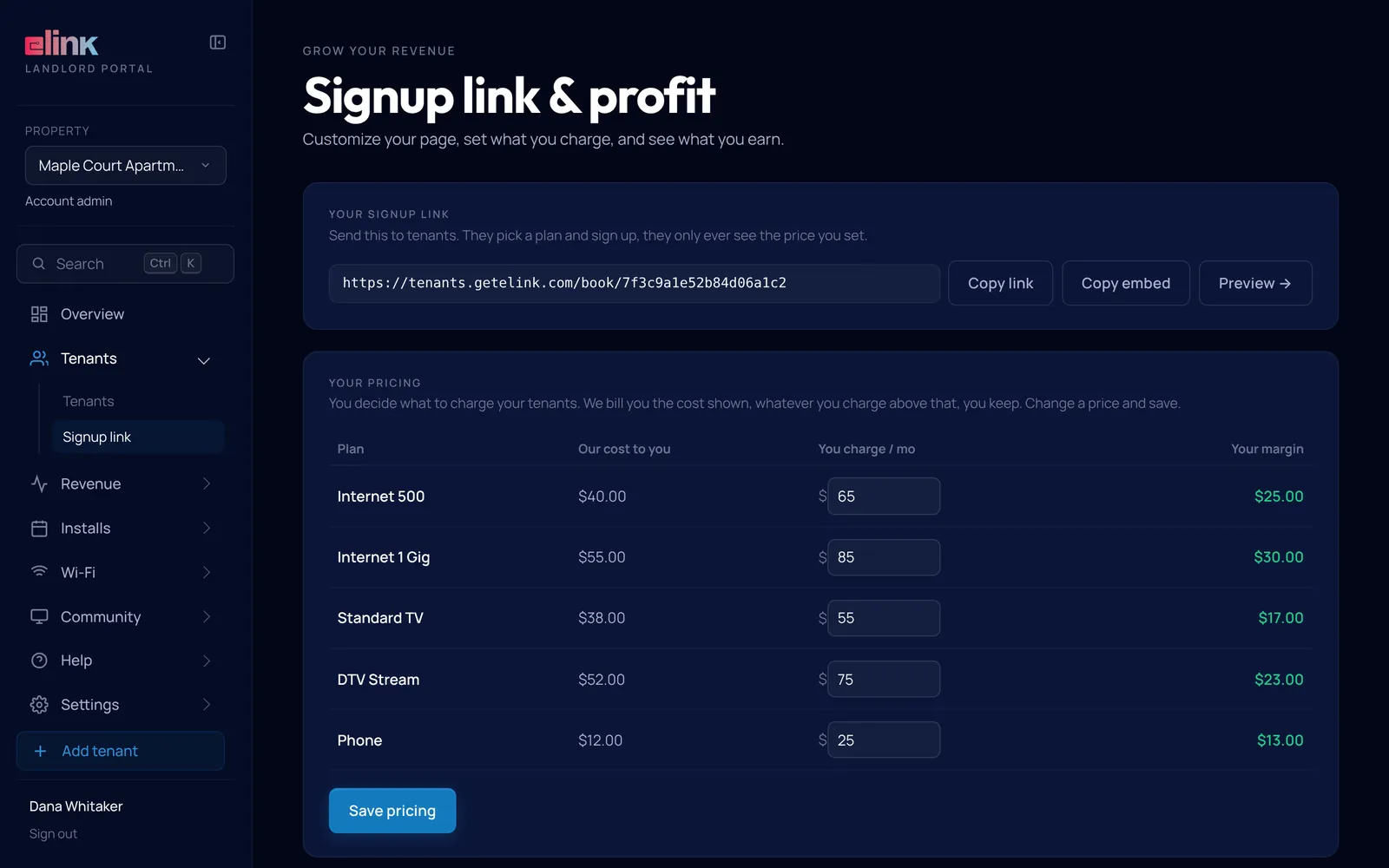
Sample figures. Costs and prices are set in your proposal.
Your own sign-up link
Every building gets a sign-up page where residents pick a plan. You choose what you charge and see what you keep.
- Copy the link, or embed it on your own website
- Put your logo on the sign-up page
- Set your price per plan and see your margin before you save
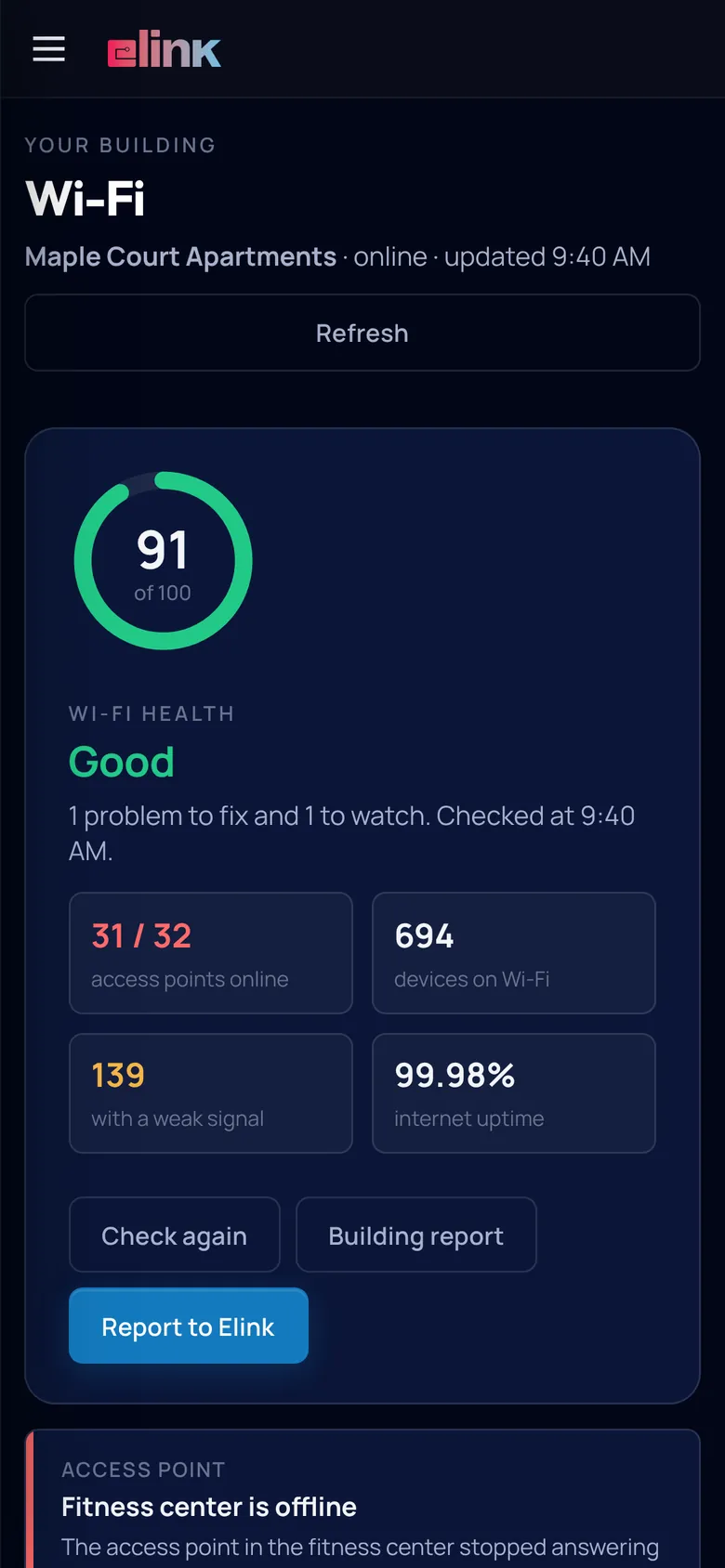
Wi-Fi you can see and fix
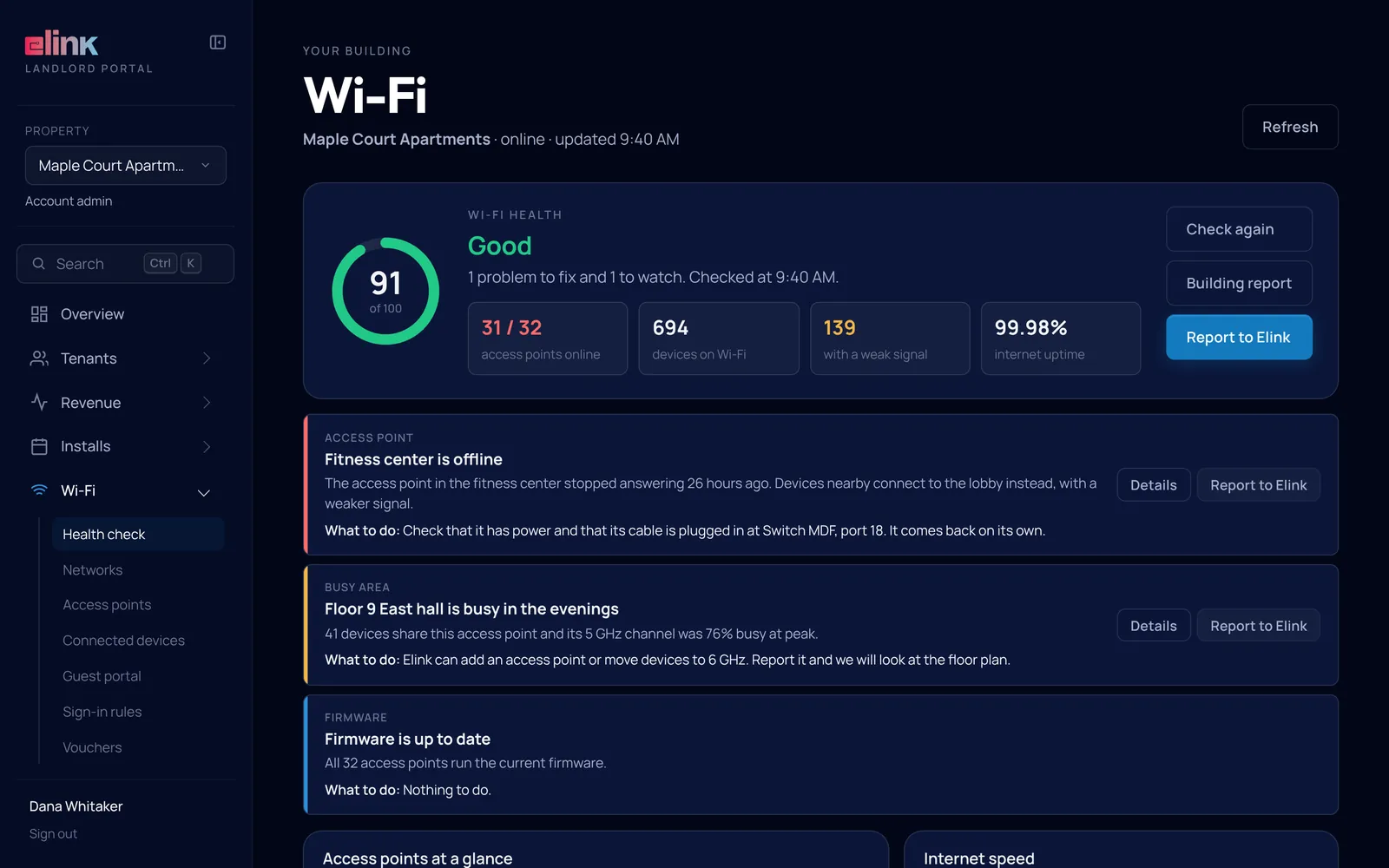
A health score for the whole building, with every problem listed worst first and what to do about it.
- Change passwords and print a QR-code Wi-Fi sign
- Restart an access point or reconnect a stuck device
- Design your own guest sign-in page
Your building’s TV channel
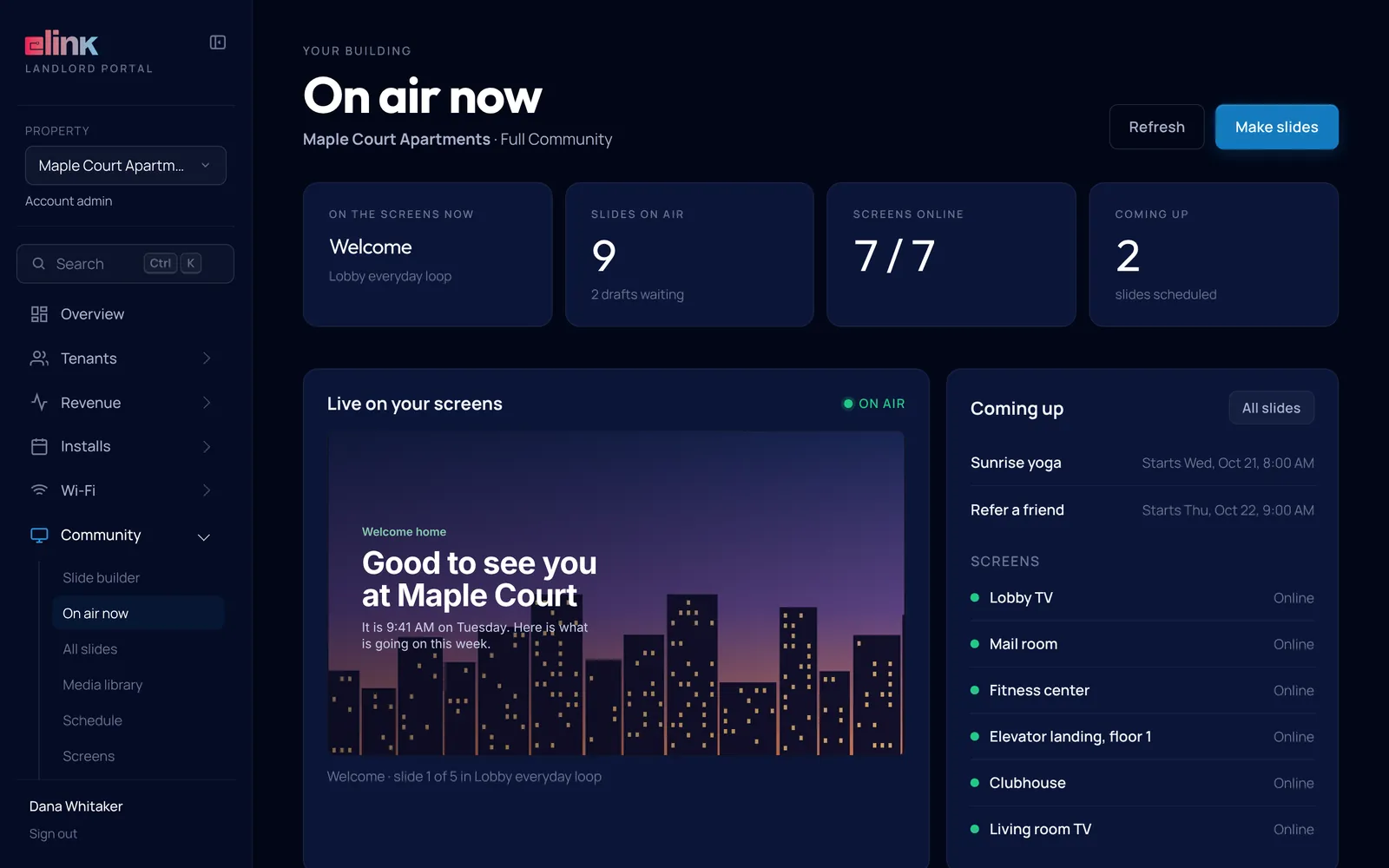
See exactly what is on every lobby and resident TV right now, and change it from the same login.
- Slides, schedules and playlists
- Emergency alerts to every screen and the resident app
- Local sponsor slots that pay the property
Book installs yourself
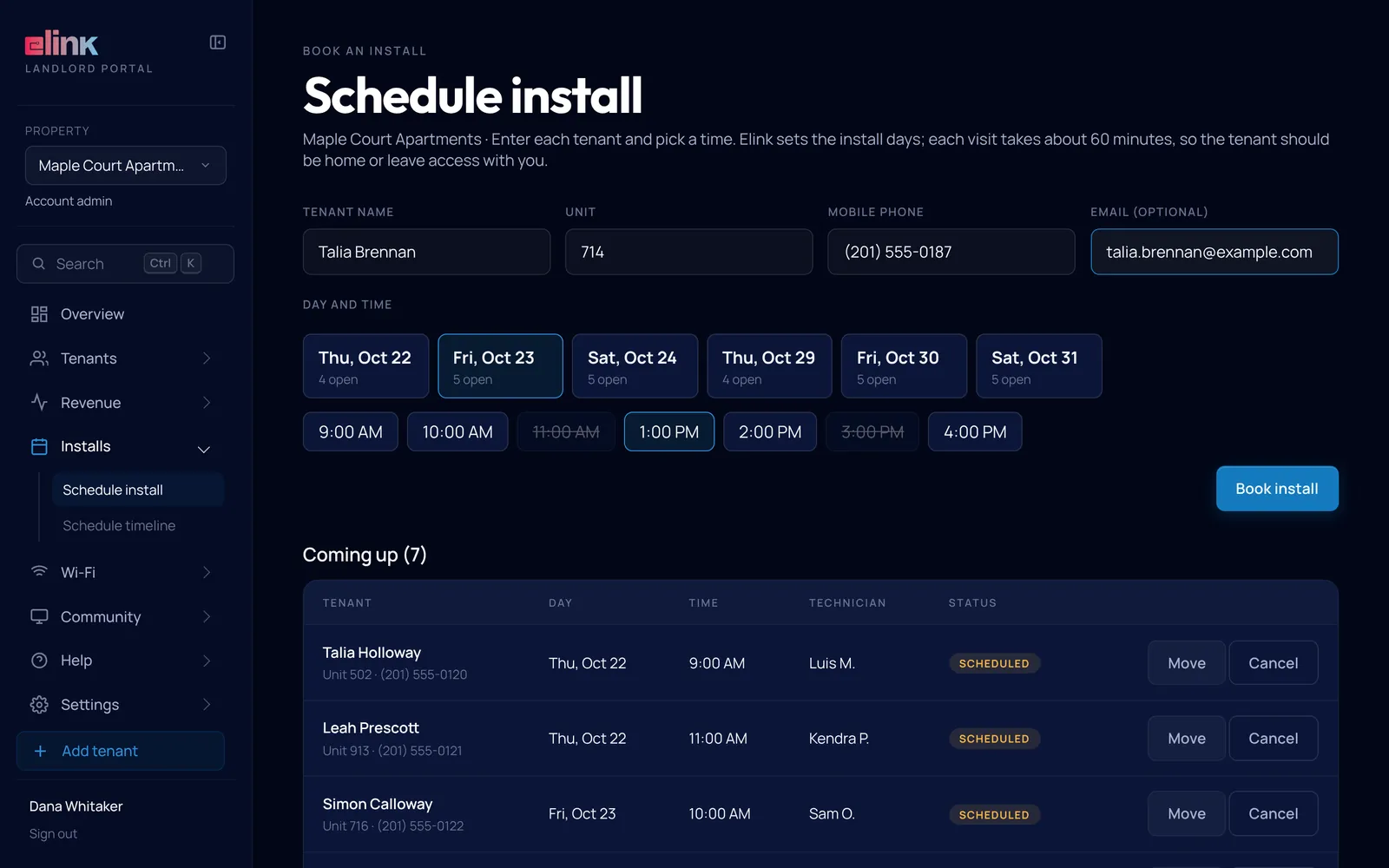
Pick an open install slot for a move-in or a unit turn. Move or cancel it, and the tenant gets an email.
- Install slots on the days Elink opens for your building
- A timeline of every booked install
- No phone calls to schedule a technician
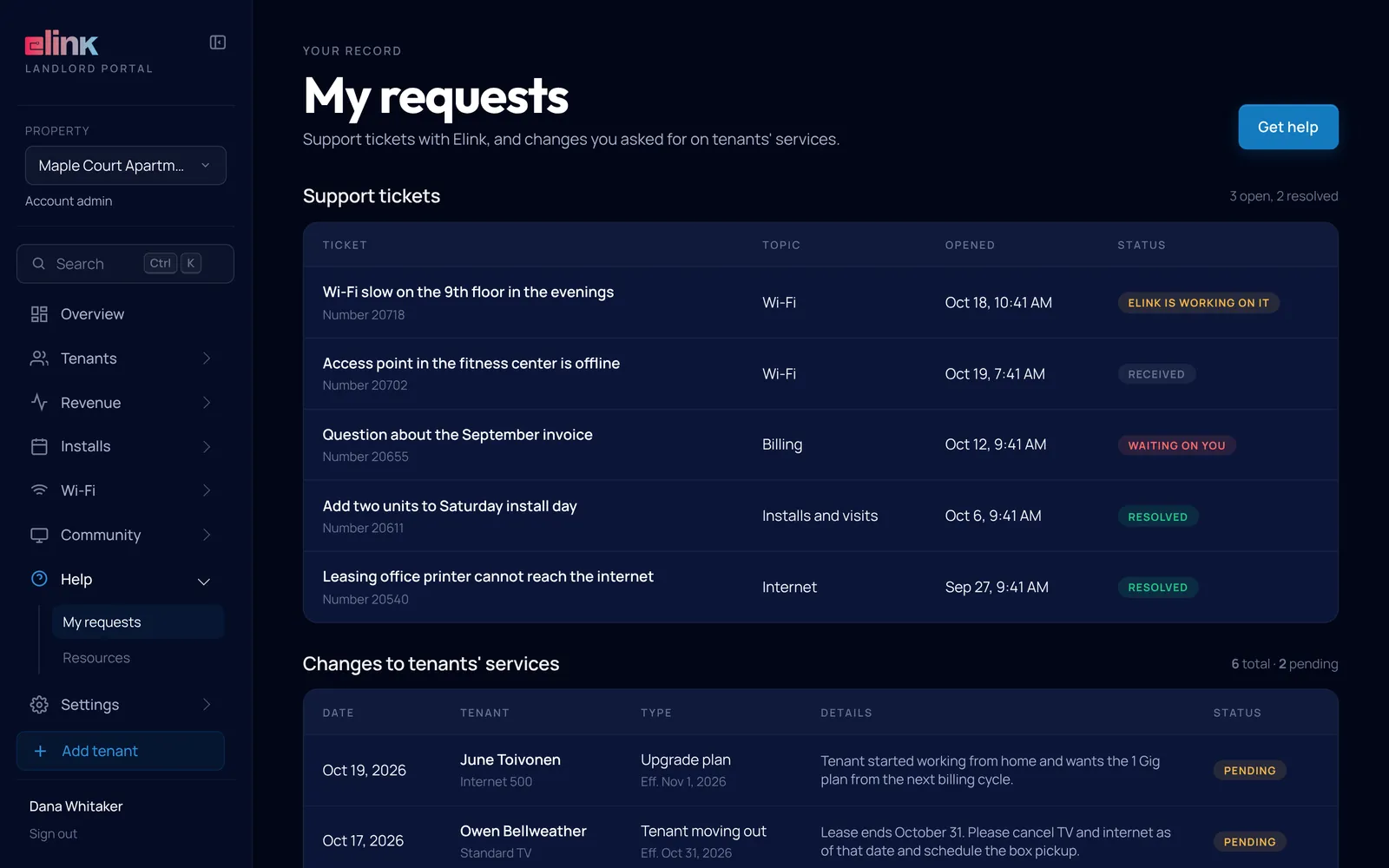
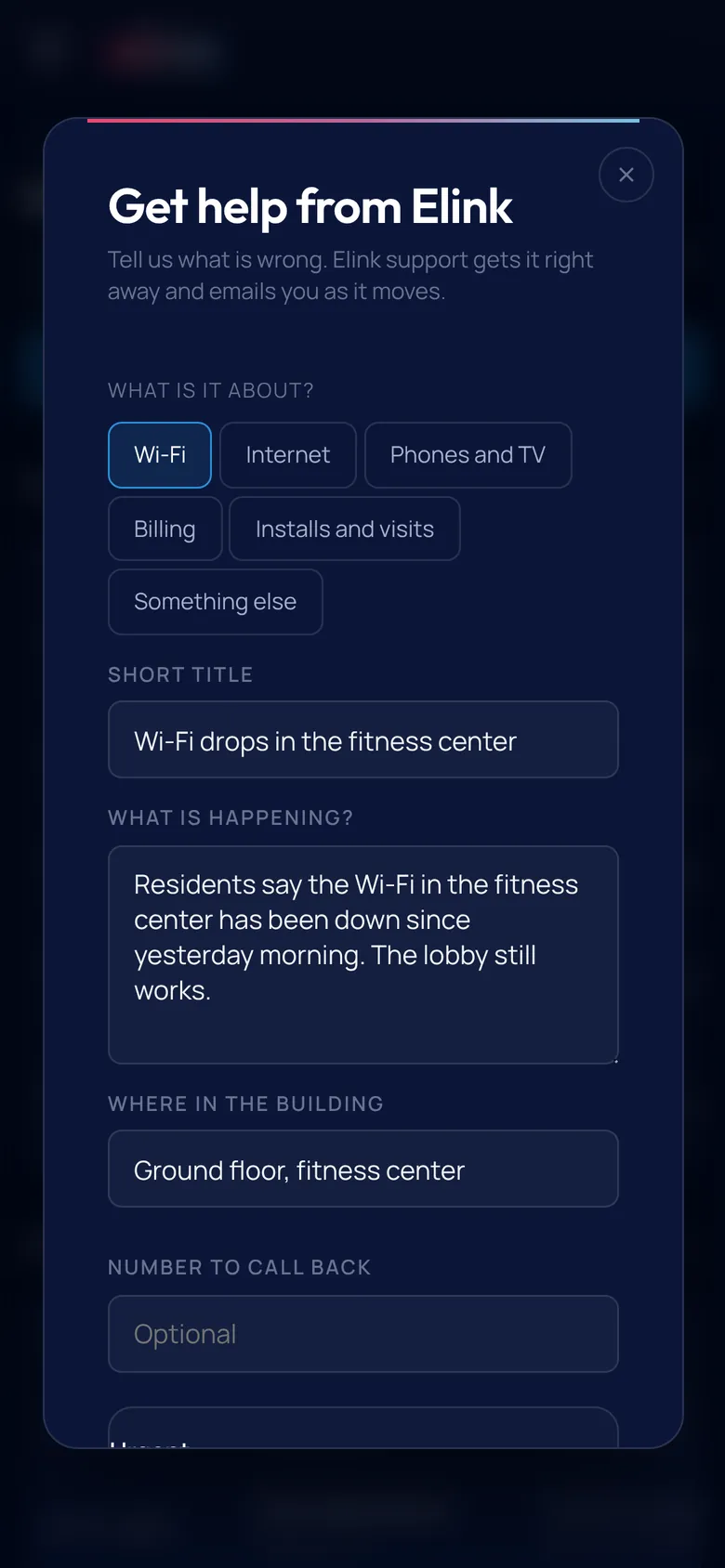
Help without the phone tree
Open a ticket by topic and follow it in plain words: Received, Elink is working on it, Waiting on you, Resolved.
- Mark anything urgent
- A history of every service change you asked for
- Step-by-step guides you can share with tenants by link or email
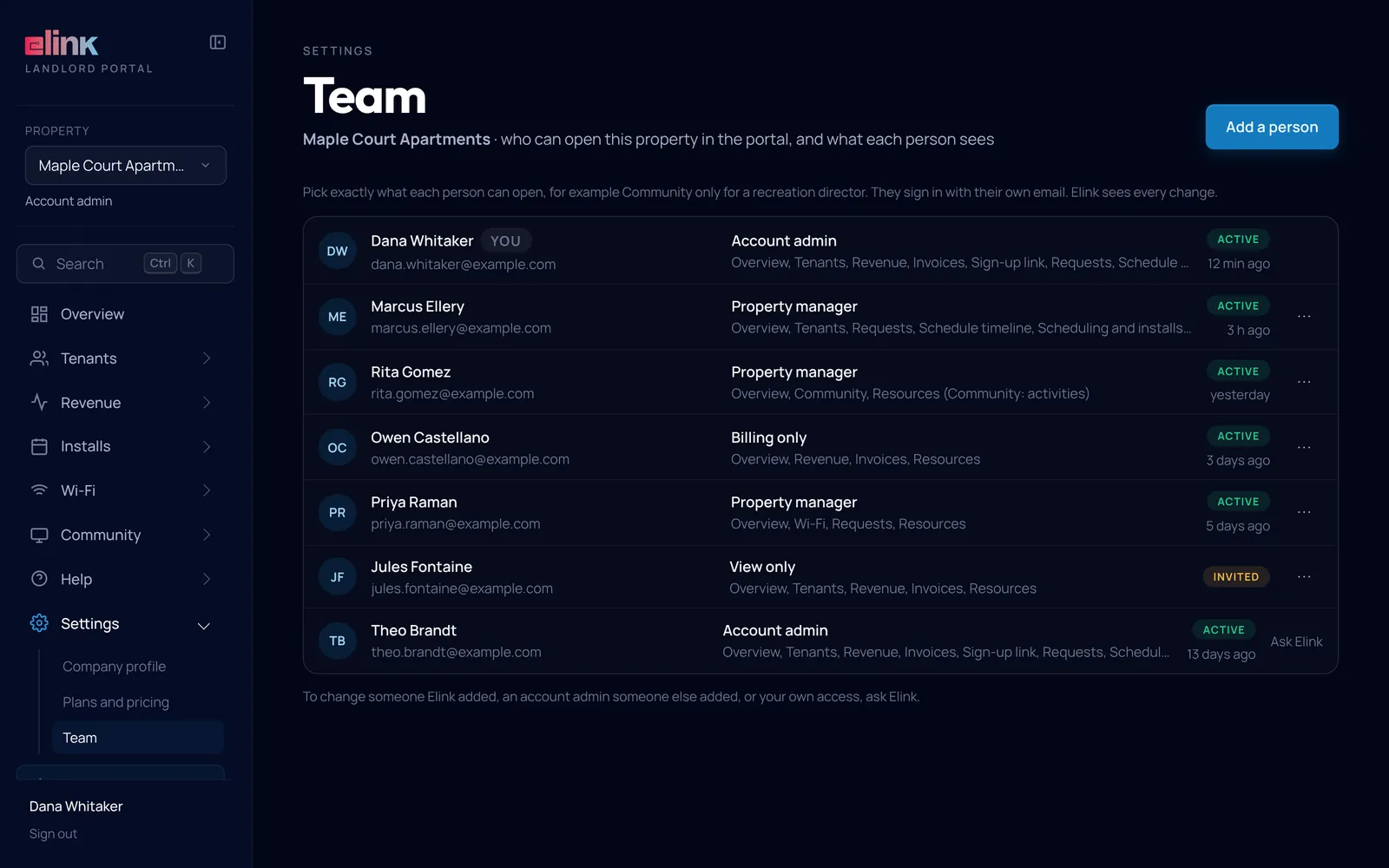
Your team, your rules
Give each person their own login and decide exactly which pages they open.
- Four access levels: Account admin, Property manager, Billing only and View only
- Quick picks like Wi-Fi only, or Revenue and invoices
- Invite by email and remove access in one click
Real screens from the Elink landlord portal, filled with a sample building. Every name and number is sample data.
Everything in the portal
Every page on the left of the portal, and what each one does for you.
Overview
Net income, tenant revenue, what is owed to Elink, Wi-Fi status and what changed since your last visit.
Tenants
Every resident, unit, service mix and monthly charge. Search, sort and export to CSV, Excel or PDF.
Revenue
Twelve months of income with a month-by-month breakdown and a CSV download.
Invoices
Every invoice with its balance and line items, ready for your accounting team.
Sign-up link
Your building’s own sign-up page and embed code, with your price for each plan.
Add a tenant
Order services for a new resident yourself, with an optional first-month discount.
Wi-Fi
Health score, networks and passwords, access points, devices and your guest sign-in page.
Community
Your building’s TV channel: slides, schedules, screens, alerts and sponsors.
Installs
Book, move or cancel install slots, and follow every booking on a timeline.
Help and requests
Tickets by topic with plain-language status, plus a history of service changes.
Help center
Step-by-step guides with screenshots that you can share with tenants.
Team
Logins for your staff, four access levels and page-by-page permissions.
Managed Wi-Fi
Run the building’s Wi-Fi from your desk
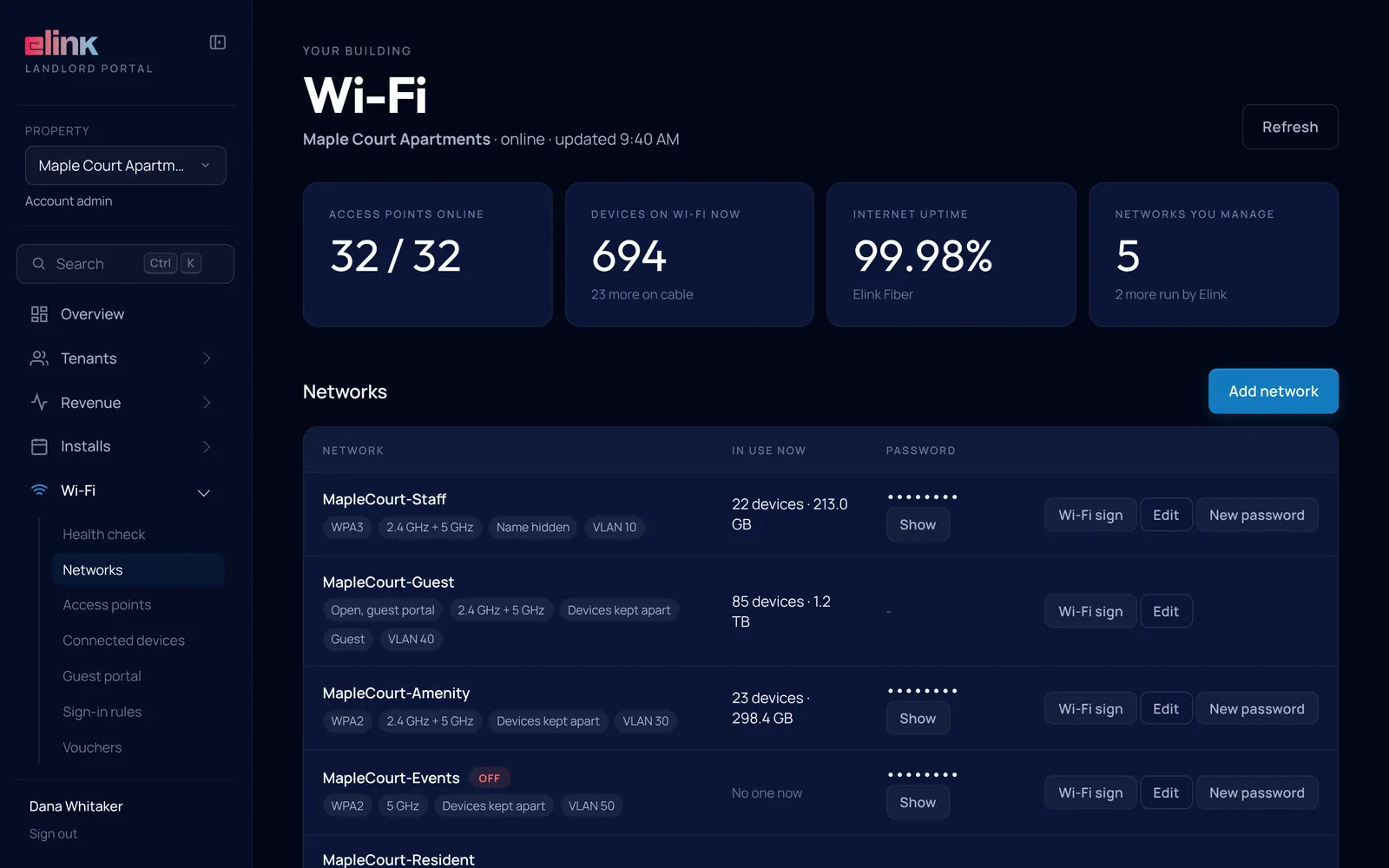
Where Elink runs your Wi-Fi, the portal shows every network, access point and device, and lets you fix the everyday things yourself.
- Show, copy or change a password, and give each unit a private one
- Rename, blink or restart an access point
- Reconnect a stuck device, or block one that should not be there
- Guest sign-in pages, sign-in rules and voucher codes
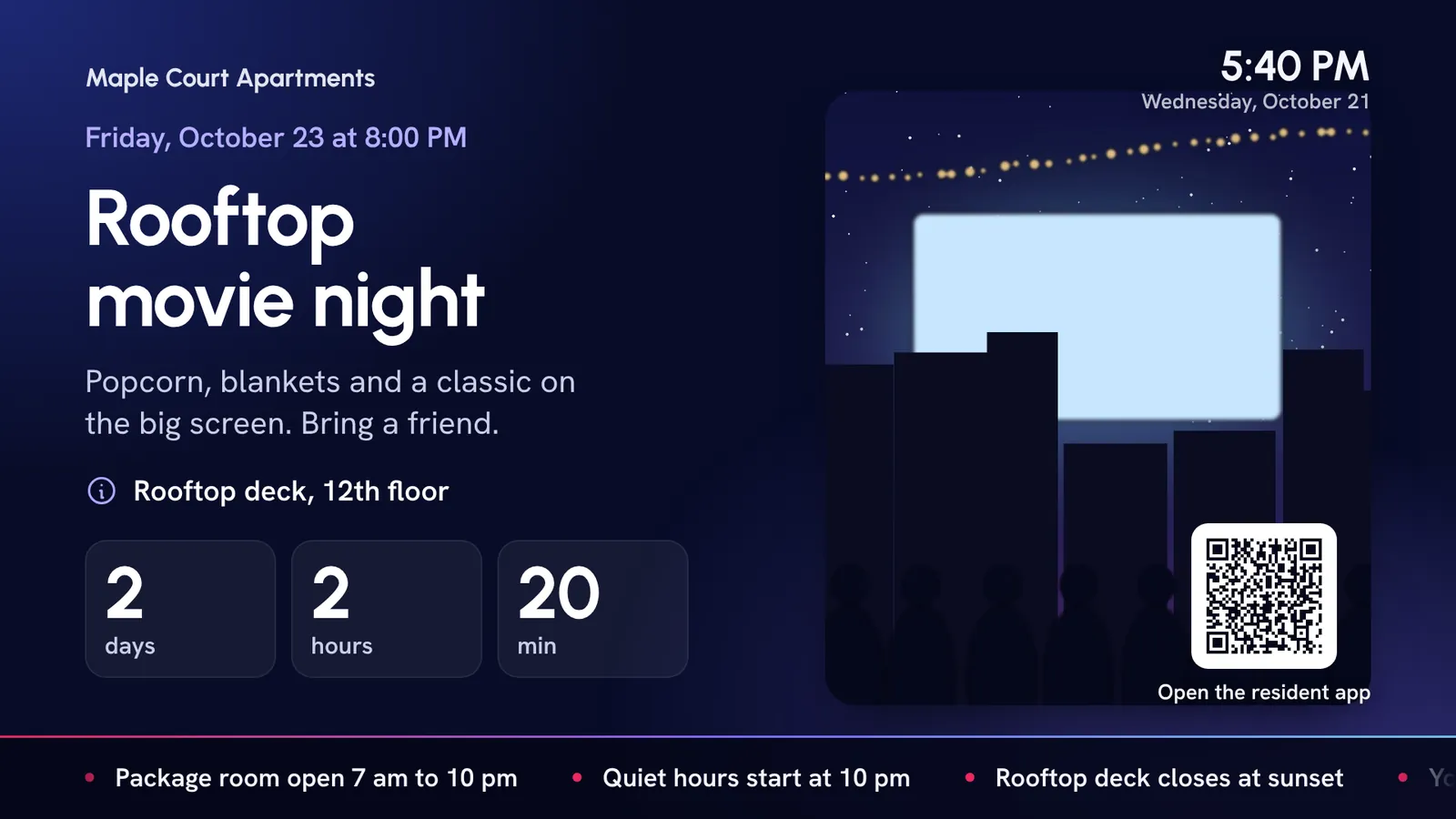
Community Channel
Put your building on every TV
Notices, events, amenity hours and local sponsors on every lobby and resident TV, run from the Community tab. Send an emergency alert and it takes over every screen.
- Thirteen slide templates plus a drag-and-drop designer
- Schedules by day and time, with an everyday loop so screens are never blank
- Emergency, important and notice alerts, on screen and in the resident app
The right access for every person
Owners, managers, leasing and accounting each sign in with their own email and see only what they need.
Account admin
Everything, including billing, the sign-up link, ordering services and the team.
Property manager
Tenants, requests, installs, Wi-Fi and Community. No billing.
Billing only
Revenue and invoices, for your accounting team.
View only
Sees the pages you give them and changes nothing.
Sign in with a password or a one-time link sent by email. Signing in on your phone does not sign you out on your laptop.
Works on your phone
The whole portal fits a phone screen, so you can check the Wi-Fi or open a ticket from the property.
Landlord portal questions
Straight answers. Anything else, ask our team.
How do I get access?
Your Elink account team sets up the portal when your first property goes live. Account admins add the rest of the team from Settings, Team.
Where do I log in?
At tenants.getelink.com/portal, from any browser on a phone, tablet or computer. Sign in with your password, or ask for a one-time sign-in link by email.
Are these real screens?
Yes. They are screens from the Elink landlord portal, filled with a sample building. Every name, unit and dollar amount is sample data. Your portal shows your own buildings.
Can I run our Wi-Fi from the portal?
Yes, where Elink runs the building’s Wi-Fi. You can check its health, change passwords, print a Wi-Fi sign, restart an access point, reconnect or block a device and design the guest sign-in page. Your Elink team turns on the controls that fit your building. See Wi-Fi management.
Is the Community Channel part of it?
Yes. The Community Channel has its own tab in the portal: slides, schedules, screens, emergency alerts, resident links and sponsors, from the same login.
Can I limit what my staff see?
Yes. Each person gets their own login and one of four access levels: Account admin, Property manager, Billing only or View only. You can also tick exactly which pages each person opens.
What will my building earn?
It depends on the building. Pricing and margin vary with the site survey: unit count, wiring, the services you include and what your market pays. We put real numbers in your proposal.
Can residents use it?
No. Residents have their own site at tenants.getelink.com for support, upgrades and their Wi-Fi password.
Every night
Something for everyone in the house
Comedies, reality, game shows and dramas, live and on demand.

Abbott ElementaryABC 
Below Deck Down UnderBravo 
The OfficeComedy Central 
Best MedicineFOX 
Family FeudLocal channels
Premium networks such as HBO Max, Paramount+ with SHOWTIME, STARZ and MGM+ are included with Premier or on us with select packages. Shows on local channels depend on your local stations. Shows and logos belong to their owners.
See the portal with your own buildings
We run a site survey, build your numbers, and set up your portal when the first property goes live.
Already an Elink resident? Get support here instead.